
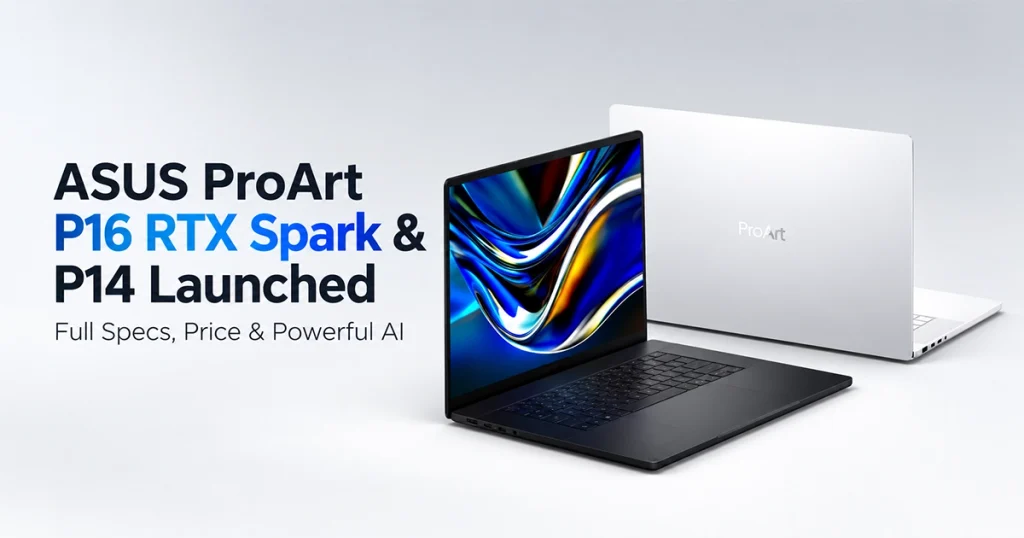
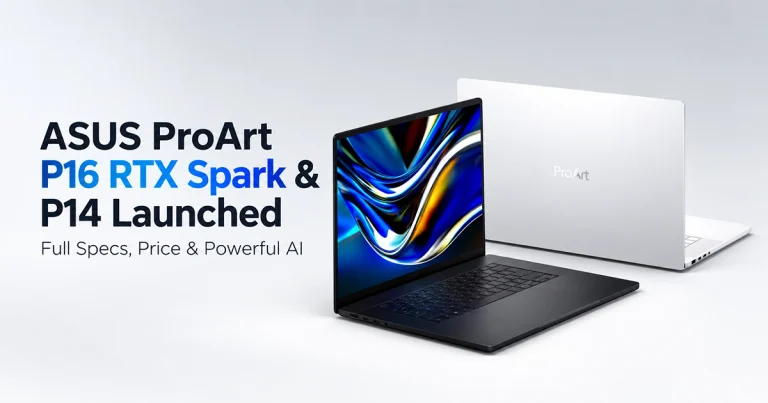
The ASUS ProArt P16 RTX Spark and smaller ProArt P14 are moving from preview hardware into the wider launch phase, bringing NVIDIA’s new RTX Spark architecture to creator-focused Windows laptops.
The biggest change is not simply another faster GPU. These laptops combine an Arm-based NVIDIA Grace CPU, Blackwell RTX graphics and unified LPDDR5X memory in one RTX Spark N1X platform, with configurations reaching 128GB of unified memory and up to 1 petaflop of FP4 AI performance according to NVIDIA and ASUS.
That makes them particularly interesting for creators, developers and AI users who want to run large models and GPU-accelerated applications locally instead of relying entirely on cloud services.
The ProArt P14 is the smaller and lighter option, while the ProArt P16 offers the larger display, bigger battery and more storage expansion.
ASUS lists the P14 at just 1.48kg, while the P16 weighs 1.77kg despite offering a 16-inch OLED display and up to a 99.9Wh battery.
ASUS ProArt P16 and P14 specifications at a glance
Here are the most important differences.
| Specification | ProArt P14 RTX Spark | ProArt P16 RTX Spark |
|---|---|---|
| Model | H7407BA | H7607BA |
| Platform | NVIDIA RTX Spark | NVIDIA RTX Spark |
| Processor | RTX Spark N1X | RTX Spark N1X |
| CPU | Up to 20-core NVIDIA Grace | Up to 20-core NVIDIA Grace |
| GPU | Blackwell RTX | Blackwell RTX |
| GPU cores | Up to 6,144 | Up to 6,144 |
| AI performance | Up to 1 petaflop FP4 | Up to 1 petaflop FP4 |
| Unified memory | Up to 128GB LPDDR5X | Up to 128GB LPDDR5X |
| Display | 14-inch OLED | 16-inch OLED |
| Maximum resolution | 2880 × 1800 | 3840 × 2400 |
| Refresh rate | 120Hz | 120Hz |
| HDR peak brightness | Up to 1,600 nits | Up to 1,600 nits |
| Color gamut | 100% DCI-P3 | 100% DCI-P3 |
| Touch | Yes | Yes |
| Stylus | Supported | Supported |
| Factory storage | Up to 1TB | Up to 2TB |
| M.2 slots | 1 | 2 |
| Battery | Up to 90Wh | Up to 99.9Wh |
| USB4 | 3 ports | 3 ports |
| HDMI | HDMI 2.1 FRL | HDMI 2.1 FRL |
| Wi-Fi | Wi-Fi 7 | Wi-Fi 7 |
| Bluetooth | Bluetooth 5.4 | Bluetooth 5.4 |
| Webcam | FHD + IR | FHD + IR |
| Weight | 1.48kg | 1.77kg |
| Thickness | 13.9mm | From 12.9mm |
| OS | Windows 11 | Windows 11 |
ASUS’s regional configurations can vary, so not every RAM, storage or display combination will necessarily be available in every market.
What exactly is NVIDIA RTX Spark?
RTX Spark is the reason these laptops are different from conventional ProArt machines.
Instead of pairing a standard AMD or Intel laptop processor with a separate GeForce GPU and its own VRAM, RTX Spark combines an NVIDIA Grace CPU and Blackwell RTX GPU inside a unified platform.
At the top end, NVIDIA lists:
- Up to 20 Grace CPU cores
- Up to 6,144 Blackwell RTX GPU cores
- Fifth-generation Tensor Cores
- Fourth-generation RT Cores
- Up to 128GB LPDDR5X unified memory
- Up to 1 petaflop FP4 AI performance
- Windows 11 support
- CUDA support
- DLSS
- Reflex
- DirectX 12 Ultimate
- NVIDIA Studio and Game Ready drivers
NVIDIA also lists a lower RTX Spark N1X configuration with an 18-core CPU, 5,120-core GPU and up to 64GB unified memory, which is important because buyers should not assume every RTX Spark machine carries the highest specification.
Why 128GB unified memory matters
This is probably the most important technical advantage of the new ASUS ProArt P16 RTX Spark.
On a conventional laptop:
CPU → system RAM
GPU → separate VRAM
A laptop might therefore have 64GB system memory but only 12GB or 16GB of GPU memory available for graphics and AI workloads.
RTX Spark instead uses a unified memory architecture, allowing the CPU and GPU to work from one large memory pool.
ASUS offers configurations up to 128GB LPDDR5X on both P16 and P14.
That can be especially useful for:
- Large language models
- AI image generation
- AI video generation
- Vision-language models
- Large 3D scenes
- LoRA training and customization
- ComfyUI workflows
- CUDA workloads
- High-resolution video
- AI agents
- Complex multitasking
ASUS says the platform can handle LLMs reaching roughly 120 billion parameters with certain configurations, render extremely large 3D scenes and generate 4K AI video. Those are ASUS platform claims and actual performance will depend heavily on model size, quantization, software and available memory.
ASUS ProArt P16 RTX Spark processor and graphics
The ProArt P16 H7607 can be configured with the high-end RTX Spark N1X implementation.
ASUS lists:
- 20-core NVIDIA Grace CPU
- 24MB cache
- Up to 4.1GHz
- Blackwell RTX GPU
- Up to 6,144 GPU cores
- Windows 11
- Unified LPDDR5X memory
ASUS and NVIDIA advertise up to 1 petaflop of FP4 AI performance.
That figure specifically relates to lower-precision AI workloads and should not be interpreted as a general measurement showing the laptop is automatically faster than every RTX 5080 or RTX 5090 notebook.
Independent reviews will still need to test:
- Blender rendering
- DaVinci Resolve
- Premiere Pro
- Stable Diffusion
- FLUX
- LLM inference
- Gaming
- sustained GPU performance
- CPU performance
- thermals
For now, 1 petaflop should be treated as an official platform specification rather than an independent benchmark result.
ASUS ProArt P16 memory options
ASUS’s current global specification page lists memory configurations including:
- 24GB
- 32GB
- 48GB
- 64GB
- 128GB LPDDR5X
The memory is listed as onboard, meaning this is not a traditional laptop with removable SO-DIMM modules.
If you expect to need 64GB or 128GB later, choose that configuration when purchasing rather than assuming you can upgrade the RAM yourself.
That’s especially important because the 128GB configuration is one of the P16’s biggest selling points.
ProArt P16 display: 4K OLED or 3K OLED
ASUS offers two major P16 display configurations.
4K OLED
The higher-end panel includes:
- 16-inch display
- 3840 × 2400 resolution
- 16:10 aspect ratio
- OLED
- 120Hz refresh rate
- 0.2ms response time
- 700-nit listed brightness
- Up to 1,600-nit HDR peak brightness
- 100% DCI-P3
- 1,000,000:1 contrast ratio
- DisplayHDR True Black 1000
- Pantone validation
- 1.07 billion colors
- anti-reflection coating
- touchscreen
- stylus support
3K OLED
The alternative panel provides:
- 2880 × 1800 resolution
- OLED
- 120Hz
- 500-nit listed brightness
- Up to 1,100-nit HDR peak
- 100% DCI-P3
- touchscreen
- stylus support
The phrase “1,600 nits” refers to HDR peak brightness, not normal sustained full-screen brightness.
For photographers, video editors and visual creators, the combination of OLED, wide DCI-P3 coverage and Pantone validation is likely to be more meaningful than resolution alone.
ProArt P16 storage and SSD expansion
The P16 is more flexible than the P14 when it comes to storage.
ASUS lists factory SSD capacities including:
- 512GB
- 1TB
- 2TB PCIe 4.0 NVMe
Regional availability varies.
More importantly, the P16 chassis provides two M.2 2280 expansion slots, with ASUS listings referring to PCIe 5.0 x4-capable slot connectivity.
That matters for creators working with:
- large 4K or 8K video projects
- local LLM files
- game-development assets
- 3D projects
- RAW photo libraries
- AI checkpoints
- large project archives
The ability to add another SSD gives the P16 a clear advantage over the smaller P14.
ASUS ProArt P16 ports
Despite the thin chassis, the P16 includes a useful selection of physical connections.
ASUS lists:
- 3 × USB4 Type-C up to 40Gbps
- DisplayPort through USB-C
- USB-C Power Delivery
- 1 × USB 3.2 Gen 2 Type-A
- HDMI 2.1 FRL
- SD Express 7.0 card reader
- 3.5mm combination audio jack
That is a strong selection for a creator machine because photographers and videographers can use SD cards directly, while HDMI and USB-A reduce the need to carry adapters for common accessories.
Battery and charging
The P16 can be configured with a 99.9Wh battery, while the P14 reaches 90Wh.
The 99.9Wh figure is particularly notable because it is very close to the 100Wh battery capacity commonly used as the upper practical limit for carrying laptop batteries aboard commercial aircraft.
ASUS currently lists USB-C charging hardware for these systems, with some official regional specifications referring to a 140W USB-C adapter.
Because early reports and accessory listings have sometimes referenced higher wattage figures, buyers should check the exact adapter included with their regional configuration rather than assuming all models ship with identical charging hardware.
P16 design, size and weight
The P16 is unusually compact for a 16-inch creator machine.
ASUS lists it at:
- 1.77kg / 3.90lb
- approximately 12.9mm at its thinnest point
- Nano Black or Neo White
ASUS describes it as its thinnest 16-inch ProArt laptop yet.
The thinner design is impressive, but it does not automatically mean the P16 will outperform thicker RTX 5090 workstations under sustained loads.
Cooling, wattage limits and long-duration performance remain things independent reviewers need to test.
Keyboard, touchpad, webcam and audio
ASUS lists a backlit keyboard and haptic touchpad on the P16.
The keyboard offers around 1.7mm key travel, which is relatively generous for such a thin machine.
For video calls and authentication, ASUS lists:
- FHD webcam
- infrared camera
- Windows Hello facial login
- microphones
- speakers
- Smart Amp
- AI noise-canceling features
There is no reason to describe the webcam as 4K unless ASUS lists that specification for a particular configuration.
Wi-Fi and wireless connectivity
Both ProArt laptops support modern wireless connectivity.
Official ASUS specification pages list:
- Wi-Fi 7
- Bluetooth 5.4
These are appropriate specifications for machines intended to remain useful for several years.
ASUS ProArt P14: what changes?
The P14 uses the same general RTX Spark platform but places it inside a substantially smaller chassis.
The biggest differences are:
- 14-inch display instead of 16-inch
- lower weight
- smaller battery
- one M.2 slot instead of two
- up to 1TB factory SSD on current global listings
- SD 4.0 rather than the P16’s faster SD Express implementation
ASUS ProArt P14 display
The P14 uses a 14-inch 2880 × 1800 OLED panel.
The higher panel configuration includes:
- 2880 × 1800 resolution
- 16:10 ratio
- 120Hz
- 0.2ms response time
- 700-nit listed brightness
- Up to 1,600-nit HDR peak
- 100% DCI-P3
- 1,000,000:1 contrast
- Pantone validation
- DisplayHDR True Black 1000
- touchscreen
- stylus support
- anti-reflection coating
A 2880 × 1800 panel is already extremely dense at 14 inches, so the lack of a 4K option is unlikely to be a major disadvantage for most users.
P14 memory
Depending on region, ASUS lists configurations reaching:
- 24GB
- 32GB
- 48GB
- 64GB
- 128GB LPDDR5X unified memory
Some regional ASUS pages list fewer combinations, demonstrating why customers should check their local store rather than assuming every capacity is sold everywhere.
P14 storage and expansion
The P14 generally offers:
- 512GB SSD
- 1TB PCIe 4.0 NVMe SSD
- one M.2 2280 slot
This is one of the clearer compromises compared with the P16.
P14
One M.2 slot.
P16
Two M.2 slots.
If you work with very large AI models, video footage or project libraries, the P16’s second SSD slot could be worth more than the larger screen itself.
P14 ports
The smaller laptop still includes:
- 3 × USB4 Type-C
- USB-A
- HDMI 2.1 FRL
- SD 4.0 reader
- 3.5mm audio jack
- Wi-Fi 7
- Bluetooth 5.4
That makes it much more creator-friendly than ultraportables that rely almost entirely on USB-C.
P14 battery, dimensions and weight
ASUS says the P14 combines a battery capacity of up to 90Wh with a chassis weighing just 1.48kg and measuring about 13.9mm thin.
ASUS calls it the lightest ProArt laptop it has produced.
For people who travel regularly, that is probably the P14’s strongest advantage over P16.
However, ASUS’s marketing references to long battery life should not be treated as independent evidence. Real endurance will depend on display brightness, workload, GPU usage, Windows behavior and battery mode.
What can 128GB unified memory actually be used for?
Most normal PC users do not need 128GB of memory.
RTX Spark’s large unified pool is aimed at unusually demanding workloads such as:
Large local LLMs
Models that would exceed the VRAM capacity of normal laptop GPUs can potentially use the much larger shared memory pool.
AI image generation
Applications built around diffusion models may benefit from having more room for large models and complex generation pipelines.
AI video
Video generation is particularly memory intensive, especially as resolution and duration rise.
ComfyUI
Node-heavy workflows can combine multiple models, ControlNets, upscalers and processing stages.
3D work
Complex scenes, large textures and AI-enhanced rendering can consume enormous amounts of memory.
Local AI agents
RTX Spark is explicitly being positioned around local agentic AI, where models and tools run persistently on the PC.
ASUS says P14 and P16 can support large-model inference, 90GB-class 3D scenes and advanced generative workflows.
Why local AI matters
Running AI locally brings several practical advantages.
Privacy: Sensitive prompts, project files or proprietary data can remain on the computer.
Offline use: Compatible models can continue functioning without a cloud connection.
No API charge for every request: Local inference does not create the same usage-based fees as commercial cloud APIs.
Large memory: RTX Spark’s biggest advantage is the amount of memory accessible to AI workloads.
CUDA: NVIDIA’s existing CUDA ecosystem could make RTX Spark especially attractive to developers.
NVIDIA is already publishing tools for developers porting Windows applications to RTX Spark and Windows on Arm.
Cloud AI still has advantages. Huge frontier models and scalable enterprise workloads may remain better suited to cloud infrastructure.
RTX Spark is not intended to eliminate cloud computing; it gives users a much more capable local option.
ASUS’s local AI software ecosystem
ASUS is also building software around the hardware.
Its RTX Spark ecosystem highlights several tools and partnerships.
MuseTree
ASUS’s generative-creation application can use local generative models for ideation and visual workflows.
StoryCube
StoryCube focuses on managing and organizing photos, videos and media assets.
Hermes Agent
ASUS has discussed integration with Nous Research’s Hermes agent technology for more autonomous local workflows.
ComfyUI
RTX hardware is naturally relevant to ComfyUI users because CUDA acceleration is central to many diffusion-generation workflows.
CUDA applications
ASUS says RTX Spark supports hundreds of GPU-accelerated creator and AI applications through NVIDIA’s software stack.
RTX Spark runs Windows on Arm — and compatibility matters
The NVIDIA Grace CPU is Arm based.
That means buyers should pay attention to software compatibility instead of assuming the system behaves identically to a traditional Intel or AMD x86 Windows laptop.
Microsoft says most Windows applications can run on current Windows-on-Arm machines, either through native Arm versions or emulation. Windows 11 also uses Prism to improve compatibility with x86/x64 software.
However, creators should verify important professional software before buying.
Check:
- Adobe plug-ins
- audio production plug-ins
- camera utilities
- capture-card drivers
- printer and scanner drivers
- specialist engineering tools
- older Windows software
- anti-cheat systems
- game launchers
- hardware-control software
NVIDIA is actively encouraging developers to port software natively to RTX Spark and Windows on Arm.
This is arguably the biggest issue buyers should investigate before spending several thousand dollars.
ASUS ProArt P14 vs P16: which should you choose?
| Choose ProArt P14 if… | Choose ProArt P16 if… |
|---|---|
| Portability matters most | You want more workstation-like flexibility |
| 14-inch is large enough | You prefer a 16-inch display |
| 1.48kg is attractive | 1.77kg is still acceptable |
| 1TB storage is sufficient | You want up to 2TB from the factory |
| One M.2 slot is enough | You need two M.2 SSD slots |
| 90Wh battery is enough | You want up to 99.9Wh |
| You travel regularly | You work more often from a studio or desk |
| You want the smaller starting configuration | You want the most capable ProArt configuration |
There is no universal winner.
P14 is the portability choice.
P16 is the stronger choice for expansion, screen space and demanding professional workflows.
ASUS ProArt P16 RTX Spark price and availability
ASUS’s global RTX Spark launch is occurring alongside a much wider push from Microsoft, Dell, HP, Lenovo and MSI.
Current launch coverage places the ProArt P14 around $2,599.99 and the ProArt P16 around $2,799.99 at the lower end of their ranges, depending on configuration and retailer.
High-end configurations become dramatically more expensive.
The Verge reports that a 128GB unified memory / 2TB ProArt P16 configuration has been listed at $6,999.99.
The first wave of RTX Spark laptops is expected to begin shipping from October 16, 2026, although dates vary by manufacturer and configuration.
Retail pricing can change quickly, so readers should verify their country’s ASUS store or retailer before purchasing.
ASUS ProArt P14 and P16 advantages and potential drawbacks
This is not a hands-on review. These strengths and weaknesses are based on official specifications and currently available launch information.
Pros
- Up to 128GB unified memory
- Large memory pool for local AI
- Native CUDA ecosystem
- NVIDIA Blackwell RTX GPU
- Grace CPU
- Up to 1 petaflop FP4 AI compute
- 120Hz OLED screens
- 100% DCI-P3 coverage
- Very high HDR peak brightness
- Touchscreen support
- Stylus support
- Wi-Fi 7
- HDMI 2.1
- USB4
- Full-size SD card readers
- Large batteries
- Thin chassis
- P14 weighs only 1.48kg
- P16 has two M.2 slots
- Windows Hello
- Local/offline AI potential
Potential cons
- 128GB configurations are extremely expensive
- RAM is onboard rather than conventionally upgradeable
- Windows-on-Arm compatibility still needs careful checking
- Independent battery tests are not yet available for every configuration
- Independent AI benchmarks are still limited
- Sustained thermals need testing
- Gaming performance needs direct comparison with GeForce RTX laptops
- 128GB is unnecessary for most buyers
- P14 has only one internal M.2 slot
- P14 currently tops out at 1TB factory storage on many ASUS listings
- A conventional RTX 5080 or RTX 5090 laptop may still make more sense for some traditional GPU workloads
How ASUS compares with other RTX Spark laptops
ASUS is not alone.
RTX Spark is emerging as a new Windows laptop category.
NVIDIA currently shows RTX Spark systems from manufacturers including ASUS, Dell, HP, Lenovo and MSI.
Microsoft is also introducing its own Surface Laptop Ultra around the platform.
| Laptop | Reported starting price | Main focus |
|---|---|---|
| ASUS ProArt P14 | ~$2,599.99 | Portable creator/AI laptop |
| ASUS ProArt P16 | ~$2,799.99 | Larger creator workstation |
| Microsoft Surface Laptop Ultra | ~$2,599.99 | Premium Windows AI PC |
| Dell XPS 16 Creator Edition | ~$3,799.99 | High-end creator system |
| HP OmniBook X 14 | ~$2,999.99 | Portable AI PC |
| HP OmniBook Ultra 16 | ~$3,199.99 | Large AI workstation |
| Lenovo Yoga 9n | ~$3,099.99 | Convertible |
| MSI Prestige N16 Flip AI+ | ~$3,299.99 | Professional convertible |
These are launch-period prices reported by Windows Central and can change.
Dell is also bringing RTX Spark to XPS
Dell’s new XPS 16 Creator Edition demonstrates how quickly RTX Spark is spreading beyond ASUS.
Dell says its new model is the first XPS laptop powered by RTX Spark and supports up to 128GB unified memory, targeting creators, AI developers and gamers.
Dell also describes RTX Spark as part of a broader expansion of its local AI development portfolio.
That matters because RTX Spark is clearly becoming a platform rather than a one-off ASUS experiment.
ProArt P16 RTX Spark vs the previous ProArt P16
The architecture change is more significant than a normal annual processor refresh.
Earlier ProArt P16 laptops typically paired an AMD Ryzen processor with a separate NVIDIA GeForce RTX GPU.
The new RTX Spark model moves toward:
NVIDIA Grace CPU + Blackwell RTX GPU + unified memory
That changes the system’s priorities.
The older architecture makes sense for traditional Windows creator and discrete-GPU workloads.
The new design puts much greater emphasis on:
- AI
- unified memory
- efficiency
- local agents
- CUDA
- thin-and-light design
Notebookcheck also highlighted the shift toward RTX Spark, 128GB memory and ASUS’s new high-brightness OLED panels when covering the new ProArt generation.
Direct benchmark comparisons will still be necessary before saying the RTX Spark version is universally faster.
Can the ProArt P16 replace a MacBook Pro?
The comparison is understandable.
Both platforms now emphasize:
- Arm CPUs
- unified memory
- premium displays
- long battery ambitions
- creative workloads
- AI
- high-end build quality
RTX Spark adds a major differentiator: native NVIDIA CUDA and RTX technology.
Apple, meanwhile, has its own mature unified-memory architecture and macOS creative ecosystem.
The real question is therefore not simply:
Which laptop is faster?
It is:
Which software ecosystem better matches your workflow?
A CUDA developer may find RTX Spark far more attractive.
A Final Cut Pro user will obviously have very different priorities.
Until direct reviews compare equivalent high-end configurations, declaring an overall winner would be premature.
Who should buy the ASUS ProArt P16 RTX Spark?
The P16 makes the most sense for people who can actually use its unusual capabilities.
Strong potential fit
- AI developers
- machine-learning researchers
- local LLM users
- generative-AI artists
- 3D professionals
- video editors
- developers using CUDA
- users running large ComfyUI pipelines
- professionals handling sensitive local data
- creators who need very large shared memory pools
Probably excessive for
- web browsing
- Microsoft Office
- streaming
- schoolwork
- normal Photoshop editing
- basic Premiere projects
- casual gaming
- everyday productivity
If your workload never comes close to exhausting 16GB or 32GB of memory, paying thousands extra for 128GB provides little practical value.
Should you preorder the P14 or P16?
For most buyers, waiting for independent reviews is the safer decision.
RTX Spark is genuinely different from conventional Windows laptop hardware, which makes benchmarks especially important.
Before buying, I would want independent results for:
- CPU performance
- GPU performance
- Blender
- Premiere Pro
- DaVinci Resolve
- Photoshop
- FLUX generation
- Stable Diffusion
- ComfyUI
- local LLM token speed
- thermals
- fan noise
- sustained performance
- real battery life
- Windows-on-Arm compatibility
- gaming
- standby and sleep reliability
If you already know your workload needs 64GB or 128GB of GPU-accessible unified memory and native CUDA, early adoption may make sense.
For everyone else, waiting for real-world testing could save a very expensive mistake.
Final verdict
The ASUS ProArt P16 RTX Spark is interesting because it is not simply another thin creator laptop with a faster GeForce GPU.
The combination of an Arm-based NVIDIA Grace CPU, Blackwell RTX graphics, native CUDA and as much as 128GB of unified memory creates a type of Windows laptop aimed much more directly at local AI, agents, large models and memory-heavy creator workloads.
The P14 packages most of the same idea into a 1.48kg chassis, while the P16 trades some portability for a 16-inch display, larger battery and better storage expansion.
The biggest unanswered questions are no longer the basic specifications. ASUS and NVIDIA have published those.
What matters now is how RTX Spark performs in actual creator software, how Windows-on-Arm compatibility holds up under professional workflows, how long the laptops last away from power, and whether their very high prices are justified compared with traditional RTX laptops and Apple’s MacBook Pro.
For buyers who genuinely need CUDA plus huge unified memory in a portable Windows machine, the new ProArt generation could be one of 2026’s most unusual professional laptop launches.
For everyone else, independent reviews should come before the preorder button.



Add your first comment to this post