
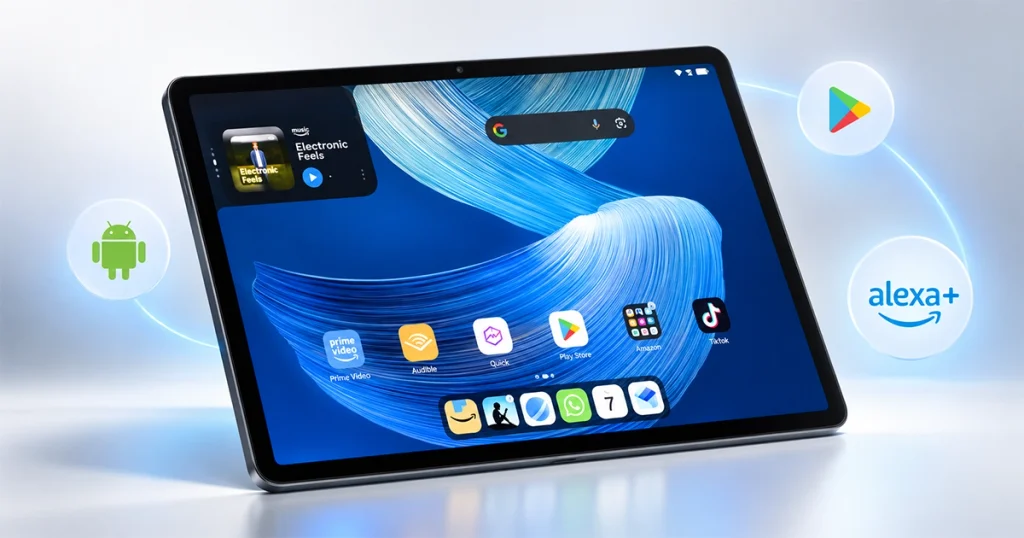
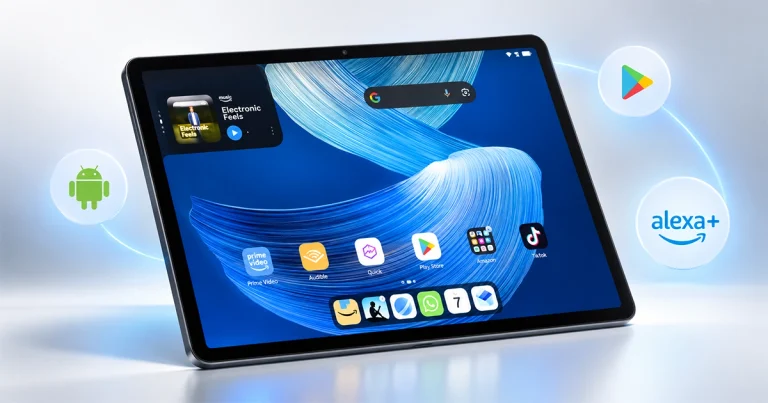
The Amazon Alexa Tablet 12 Pro is Amazon’s most ambitious tablet yet. It starts at $499.99, runs Android with the full Google Play Store, has Alexa+ built directly into the experience, and offers a 12-inch 120Hz display with an optional Nanomatte version.
Amazon officially introduced the new Alexa Tablet family on October 8, 2026, alongside the Alexa Tablet 11 and Alexa Tablet 8. The company says the new tablets use aluminum unibody construction, Android, Google Play, and deeper Alexa+ integration than its older Fire devices.
The Alexa Tablet 12 Pro begins at $499.99, while the Nanomatte version starts at $549.99. Amazon says both versions begin shipping in the U.S., Canada and Mexico on October 14.
What makes this device interesting is the combination:
Android + Google Play + Alexa+ + premium tablet hardware
That puts it much closer to an iPad or premium Android tablet than the inexpensive Fire tablets Amazon has traditionally sold.
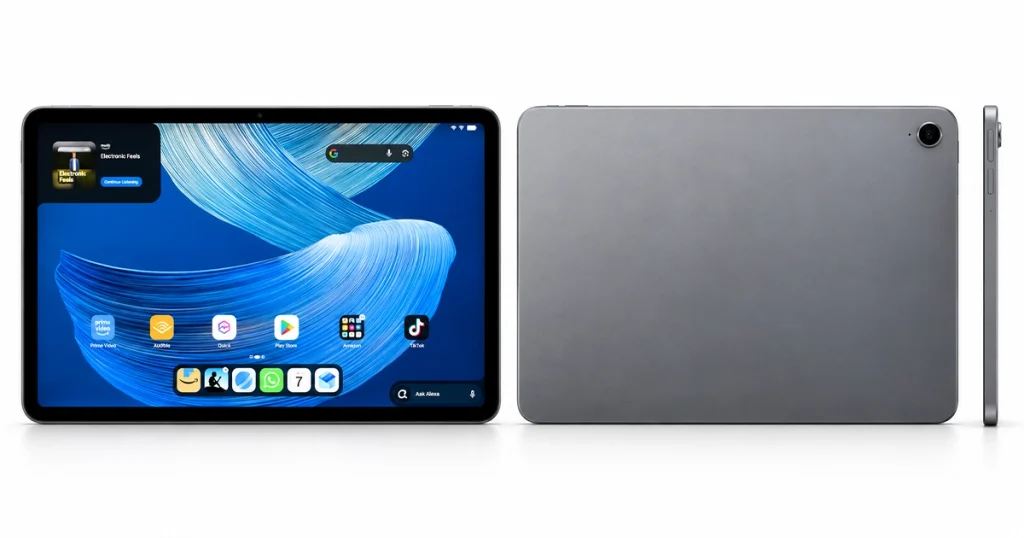
Amazon Alexa Tablet 12 Pro Specs at a Glance
| Specification | Amazon Alexa Tablet 12 Pro |
|---|---|
| Starting price | $499.99 |
| Nanomatte price | $549.99 |
| Display | 12-inch LCD |
| Resolution | 2800 × 1840 |
| Refresh rate | 120Hz |
| Aspect ratio | 3:2 |
| Processor | MediaTek Dimensity 8400 reported |
| RAM | 8GB, higher configurations available |
| Starting storage | 128GB |
| Software | Android |
| App store | Google Play |
| Assistant | Alexa+ |
| Wi-Fi | Wi-Fi 6E |
| Speakers | Quad speakers with Dolby Atmos |
| Thickness | 6.5mm |
| Accessories | Pro Keyboard and Pro Pen |
Amazon confirms the 12-inch display, 120Hz refresh rate, 3:2 aspect ratio, aluminum construction, starting memory/storage and Google Play access. WIRED identifies the processor as the MediaTek Dimensity 8400 and lists additional hardware details including Wi-Fi 6E and Dolby Atmos speakers.
1. It Finally Has the Full Google Play Store
This may be the most important change.
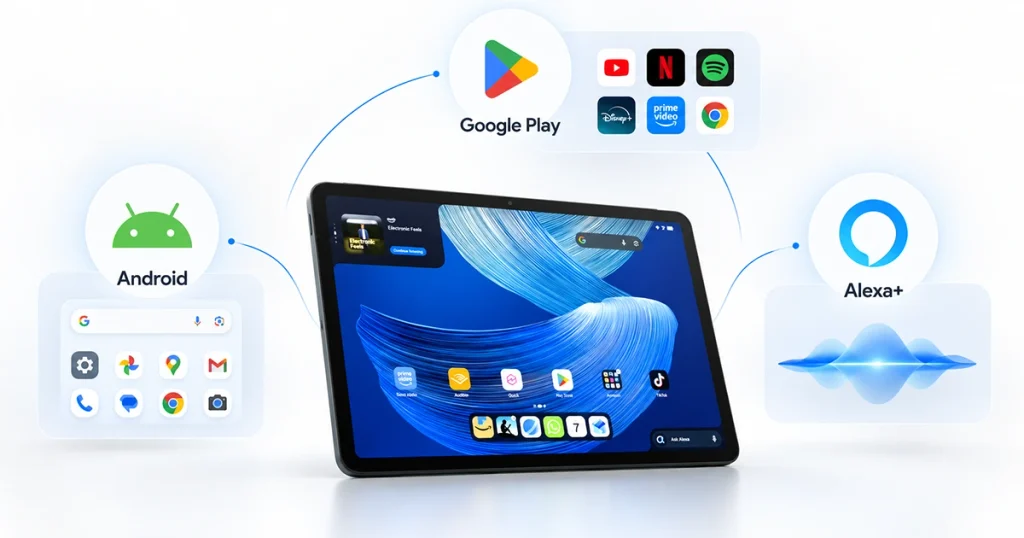
The Amazon Alexa Tablet 12 Pro runs Android and includes full Google Play Store access, according to Amazon.
That means users can install mainstream Android apps such as:
- YouTube
- Gmail
- Google Docs
- Netflix
- Spotify
- Slack
- Microsoft 365
- Android games
directly from Google Play.
That is very different from Amazon’s previous Fire Tablet strategy.
Older Fire tablets relied heavily on Amazon’s own Appstore and Fire OS, which meant users sometimes had fewer app choices or had to find workarounds for Google services.
The Verge describes Google Play support as one of the biggest changes in Amazon’s new tablet strategy.
WIRED similarly reports that Amazon is moving away from the old Fire approach and toward a more mainstream Android experience.
For many buyers, that alone may be the biggest reason to consider the 12 Pro.
2. Alexa+ Is Built Into the Experience
Alexa+ is not simply another app installed on the tablet.
Amazon has integrated it directly into the software experience.
Users can summon Alexa by voice or through the interface, ask questions about content on the screen, control smart-home devices, manage schedules, get recommendations and interact with Amazon services.
Amazon also highlights On-Screen Intelligence, which allows Alexa+ to understand some of the content currently visible on the tablet.
For example, if you are reading a webpage, Alexa can potentially answer questions about what is displayed rather than forcing you to manually copy information into another app.
This could be particularly useful for:
- shopping
- travel research
- smart-home control
- calendars
- recipes
- entertainment
- quick questions
The Verge’s longer-term Alexa+ review found it particularly strong for smart-home control and household tasks, although it also noted limitations in more complicated personal-assistant workflows.
So Alexa+ is a meaningful differentiator—but it matters much more if you already use Amazon’s ecosystem.
3. The 12-Inch 120Hz Display Is a Major Upgrade
The Alexa Tablet 12 Pro uses a 12-inch display with 2800 × 1840 resolution and a 120Hz refresh rate.
It also uses a 3:2 aspect ratio.
That taller screen shape gives users more vertical space for:
- documents
- websites
- split-screen multitasking
- PDFs
- note-taking
The 120Hz refresh rate should also make scrolling and animations look smoother than a conventional 60Hz tablet.
WIRED reports that the display reaches around 500 nits of brightness.
Display specifications
| Feature | Alexa Tablet 12 Pro |
|---|---|
| Size | 12 inches |
| Resolution | 2800 × 1840 |
| Refresh rate | 120Hz |
| Aspect ratio | 3:2 |
| Reported brightness | 500 nits |
| Touch | Yes |
| Nanomatte option | Yes |
The display is one of the biggest reasons to move up from the cheaper Alexa Tablet 11 or Alexa Tablet 8.
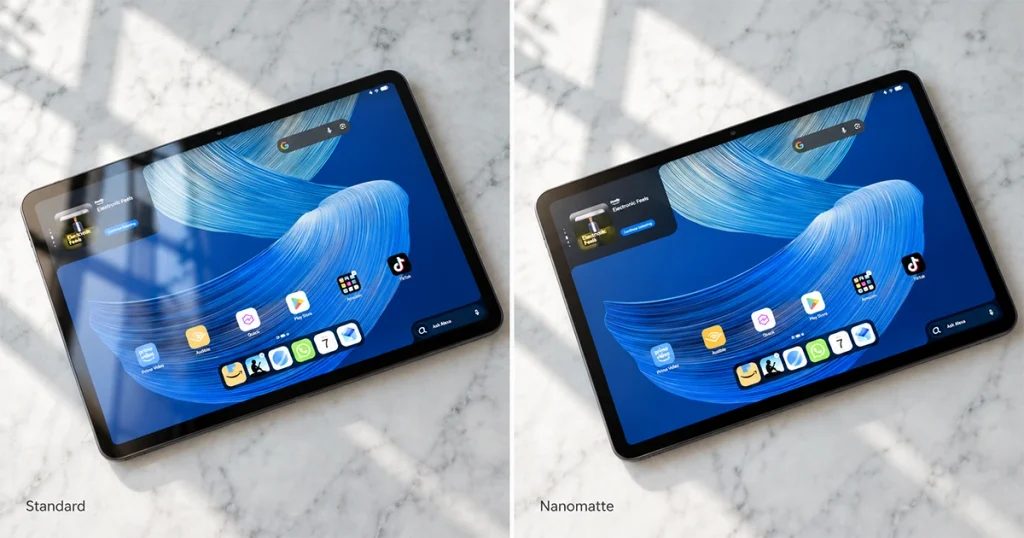
4. The Nanomatte Display Could Be Worth the Extra $50
Amazon sells an optional Nanomatte version of the Alexa Tablet 12 Pro starting at $549.99.
The goal is to reduce reflections and create a more paper-like viewing experience.
Amazon says the display technology was developed with Corning and uses a specialized etched surface rather than simply applying a matte screen protector.
The Verge’s hands-on report found the Nanomatte version especially effective at reducing glare in bright environments.
WIRED also describes the matte screen as giving the tablet a more paper-like appearance and writing feel.
Standard screen may be better if:
- you mostly watch video indoors
- you mainly game
- reflections rarely bother you
- you want the lowest price
Nanomatte may be better if:
- you read often
- you work near windows
- you use the tablet outdoors
- you write or draw with the pen
- glare bothers you
The Nanomatte version is probably one of the most distinctive features in Amazon’s tablet lineup.
5. Performance Is Much Stronger Than Old Fire Tablets
Amazon says the Alexa Tablet 12 Pro uses a 4nm eight-core processor and is much faster than its previous tablets.
WIRED identifies that processor as the MediaTek Dimensity 8400.
Amazon claims the new hardware provides significantly faster CPU and graphics performance compared with older Amazon tablets. Those figures should be treated as Amazon’s own claims until independent benchmark testing is widely available.
The Dimensity 8400 should be suitable for:
- Android apps
- web browsing
- multitasking
- streaming
- casual gaming
- productivity
- note-taking
- Alexa+
But it is not positioned as a direct raw-performance rival to Apple’s M4.
Apple’s 2026 iPad Air uses the M4 chip, including an 8-core CPU, 9-core GPU and 16-core Neural Engine.
So the Alexa Tablet 12 Pro is better viewed as a strong premium-midrange Android tablet rather than a workstation-class tablet.
6. Up to 16GB RAM Makes Multitasking More Practical
The base Alexa Tablet 12 Pro includes 8GB RAM and 128GB storage.
Amazon says higher configurations can offer more memory.
More memory helps with:
- multiple apps
- split-screen multitasking
- browser tabs
- productivity software
- larger documents
- switching between apps without constant reloading
For most users, 8GB should be enough.
The larger-memory configurations make more sense for someone planning to use the tablet as a partial laptop replacement.
7. Kindle Sanctuary Mode Makes It Better for Reading
Amazon has also built a special Kindle-oriented experience into the new tablets.
The company calls it a distraction-reduced reading environment and says it can extend battery life compared with normal use.
Amazon says the Alexa Tablet 12 Pro can reach up to 20 hours in Kindle Sanctuary mode.
That mode reduces distractions and is designed to create a more focused reading experience.
Combined with the optional Nanomatte display, this could make the 12 Pro particularly attractive to users who want:
- Kindle books
- PDFs
- magazines
- long-form web reading
- note-taking
But it is still an LCD tablet.
It should not be confused with a dedicated E Ink Kindle, which uses fundamentally different display technology.
8. Battery Life Looks Strong on Paper
Amazon rates the Alexa Tablet 12 Pro for up to 16 hours of normal video playback, while Kindle mode can reach up to 20 hours.
These are Amazon’s manufacturer estimates.
Real-world battery life will depend on:
- screen brightness
- 120Hz refresh rate
- Wi-Fi use
- gaming
- Alexa+
- background apps
- video streaming
- reading mode
This means you should not assume every user will get 16 or 20 hours.
For comparison, Apple rates the current iPad Air for up to 10 hours of Wi-Fi web browsing or video playback.
Because Amazon and Apple use different testing methods, those numbers should not be treated as a direct battery benchmark.
9. The Pro Keyboard and Pro Pen Make It More Than an Entertainment Tablet
Amazon also offers two important accessories:
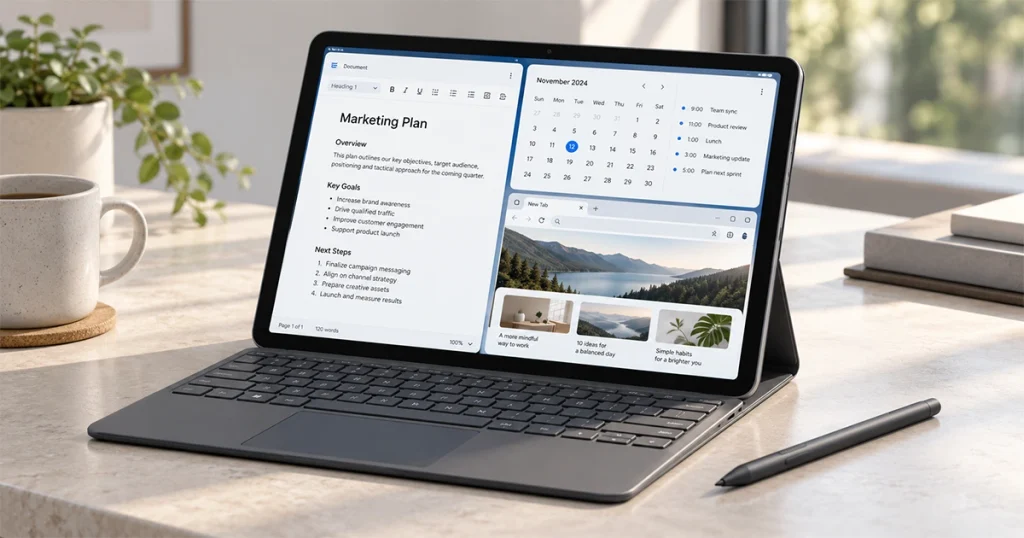
Alexa Tablet Pro Keyboard — $149.99
Alexa Tablet Pro Pen — $89.99
The keyboard is intended to make the tablet more suitable for:
- documents
- browsing
- office work
- school work
The pen adds handwriting and drawing capabilities.
The Verge’s hands-on coverage says the Nanomatte display works particularly well with the pen because of the more paper-like surface.
Full setup cost
If you buy:
- Alexa Tablet 12 Pro Nanomatte: $549.99
- Pro Keyboard: $149.99
- Pro Pen: $89.99
the total approaches $790 before tax.
At that price, comparisons with iPad Air and premium Samsung tablets become much more important.
10. The Price Is Competitive—but It Is No Longer a Cheap Amazon Tablet
The Alexa Tablet 12 Pro starts at $499.99.
The Nanomatte version starts at $549.99.
Amazon’s new lineup is:
| Model | Starting price |
|---|---|
| Alexa Tablet 8 | $229.99 |
| Alexa Tablet 11 | $329.99 |
| Alexa Tablet 12 Pro | $499.99 |
| Alexa Tablet 12 Pro Nanomatte | $549.99 |
The Verge confirms those pricing tiers and describes the 12 Pro as Amazon’s attempt to move into a more premium tablet category.
That is important because people familiar with Fire Tablets may expect Amazon hardware to be very cheap.
The 12 Pro is not.
It competes much more directly with mainstream iPads and premium Android tablets.
Alexa Tablet 12 Pro vs Fire Tablet
The Alexa Tablet 12 Pro represents a major change from Amazon’s previous tablet strategy.
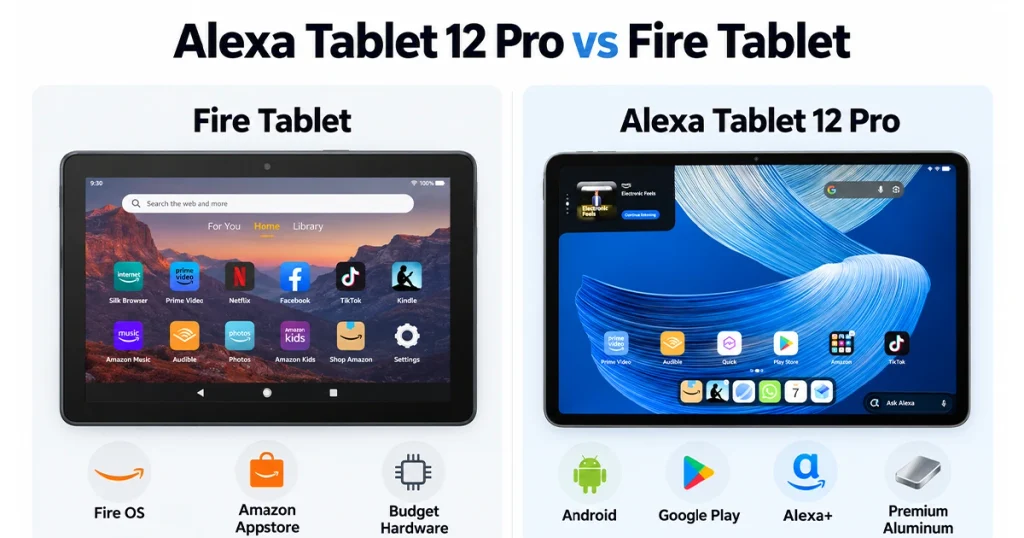
| Feature | Alexa Tablet 12 Pro | Older Fire Tablet approach |
|---|---|---|
| Software | Android | Fire OS |
| Google Play | Yes | Not officially |
| Alexa+ | Deep integration | More limited |
| Build | Aluminum | More budget-focused |
| Display | 120Hz premium screen | Lower-end on many models |
| RAM | Higher configurations | Usually lower |
| Keyboard | Dedicated accessory | Limited |
| Pen | Dedicated Pro Pen | Model-dependent |
| Price | Premium | Budget-focused |
WIRED reports that Amazon is replacing the old Fire Tablet strategy with the new Alexa Tablet family.
So the biggest differences are not merely the processor and screen.
They are:
Google Play + Android + much better hardware + a much higher price.
Alexa Tablet 12 Pro vs iPad Air
The current iPad Air is one of the most obvious competitors.
Apple’s 2026 iPad Air uses the M4 processor, 12GB unified memory and starts with 128GB storage.
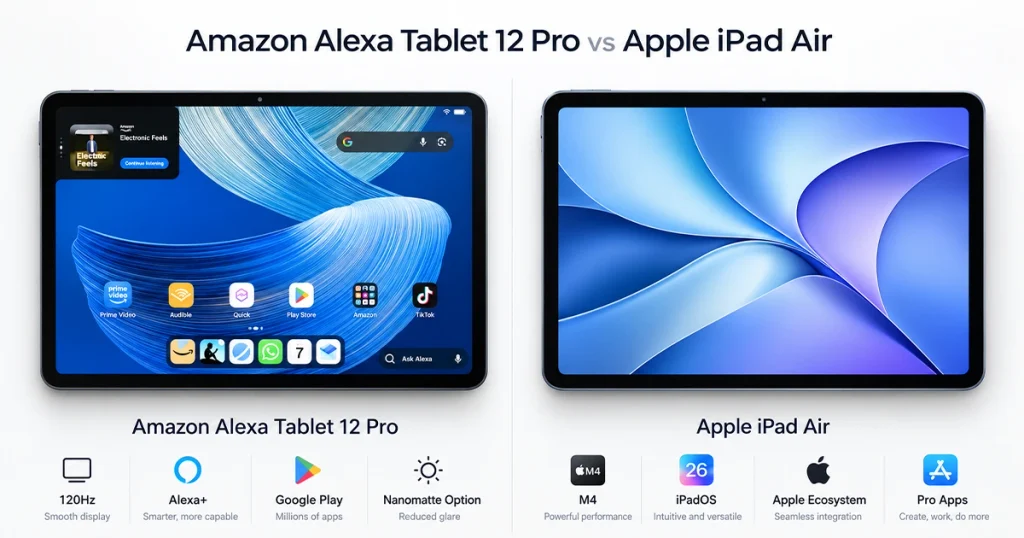
| Feature | Alexa Tablet 12 Pro | iPad Air M4 |
|---|---|---|
| Screen | 12-inch | 11 or 13-inch |
| Refresh rate | 120Hz | 60Hz |
| Processor | Dimensity 8400 reported | Apple M4 |
| App ecosystem | Google Play | Apple App Store |
| Assistant | Alexa+ | Siri / Apple Intelligence |
| Matte option | Nanomatte | No standard nano-texture on Air |
| RAM | 8GB+ | 12GB |
| Starting storage | 128GB | 128GB |
| Keyboard | Optional | Optional |
| Pen | Optional | Apple Pencil |
| OS | Android | iPadOS |
Alexa Tablet advantages
- 120Hz screen
- Alexa+ integration
- Google Play
- optional Nanomatte display
- Kindle ecosystem
iPad Air advantages
- much faster M4 processor
- stronger professional app ecosystem
- Apple ecosystem integration
- more powerful creative workflows
The better choice depends heavily on which ecosystem you already use.
Potential Pros
- Full Google Play Store
- Android
- Deep Alexa+ integration
- 120Hz display
- Optional Nanomatte screen
- Aluminum construction
- Good memory configurations
- Kindle reading features
- Pro Keyboard support
- Pro Pen support
- Wi-Fi 6E
- Quad Dolby Atmos speakers
Potential Cons
- More expensive than traditional Fire Tablets
- Accessories raise the price significantly
- Processor is well below M4-class performance
- Real-world battery results still need more independent testing
- Alexa+ is most valuable to Amazon ecosystem users
- Base 128GB storage may be limited for some buyers
- No strong reason to buy it if you do not care about Alexa
Who Should Buy the Amazon Alexa Tablet 12 Pro?
It makes the most sense for someone who:
- already uses Alexa
- owns Alexa smart-home devices
- wants Google Play
- wants a premium Android tablet
- reads a lot of Kindle content
- likes the Nanomatte display
- wants a 120Hz screen
- wants keyboard and stylus support
Who Should Skip It?
You may want another device if:
- you only want cheap streaming
- you rarely use Alexa
- you need maximum CPU/GPU performance
- you are deeply invested in Apple
- you want professional iPad apps
- you want the lowest-cost tablet possible
For basic entertainment, the cheaper Alexa Tablet 11 may make more sense.
Is the Amazon Alexa Tablet 12 Pro Worth It?
At $499.99, the Alexa Tablet 12 Pro looks reasonably competitive on specifications.
The strongest combination is:
Android + Google Play + Alexa+ + 120Hz display + optional Nanomatte screen
That combination is genuinely different from what older Fire Tablets offered.
The main concern is price.
Once you add the Nanomatte upgrade, keyboard and pen, you are approaching $800.
At that point, the iPad Air and other premium Android tablets become serious alternatives.
So the early conclusion is simple:
The Alexa Tablet 12 Pro looks most compelling for people who specifically want Amazon’s ecosystem without giving up full Android and Google Play.
Amazon Alexa Tablet 12 Pro Price and Release Date
Amazon says:
Alexa Tablet 12 Pro: $499.99
Alexa Tablet 12 Pro Nanomatte: $549.99
Shipping begins October 14, 2026 in the U.S., Canada and Mexico.
The UK, Germany, France, Italy and Spain follow on October 19.
You can verify current availability and pricing through Amazon’s official announcement.


Add your first comment to this post