
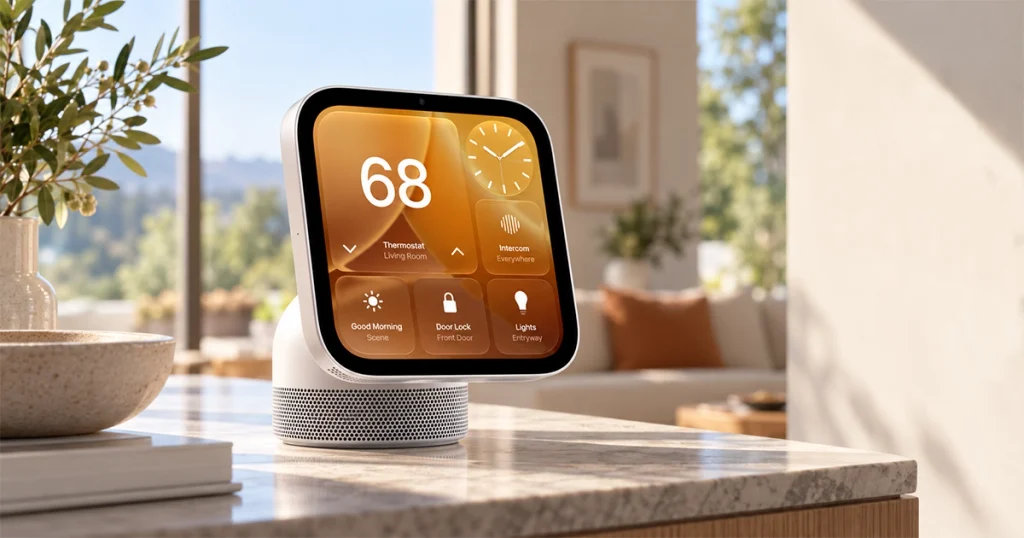
Apple HomeView is Apple’s first dedicated smart-home display, and it is much more than a HomePod with a screen.
Announced on October 13, 2026, HomeView combines a 7-inch touchscreen, Siri AI, FaceTime, Apple Home controls, personalized household profiles, music, photos, calendars, messaging, smart-camera viewing and environmental sensors in one $299 device. Apple sells both a tabletop version and a wall-mounted version, with availability beginning November 13.
The basic idea is simple: instead of reaching for an iPhone every time someone wants to check the calendar, see who is at the door, turn off a light or start a FaceTime call, HomeView becomes a shared screen for the household.
But there are some important limits. HomeView does not have its own App Store, several personal Siri AI features rely on a compatible nearby iPhone or iPad, and some third-party entertainment apps work through a CarPlay-like connection rather than as fully native HomeView apps.
Here are the 15 features—and limitations—that matter most before buying one.
Apple HomeView Specs at a Glance
| Specification | Apple HomeView |
|---|---|
| Price | $299 |
| Release date | November 13, 2026 |
| Display | 7-inch Liquid Retina touchscreen |
| Resolution | 1088 × 1088 |
| Pixel density | 220 ppi |
| Brightness | 500 nits max, 0.3 nits min |
| Processor | Apple A18 |
| Camera | 12MP Center Stage |
| Siri | Siri AI with Apple Intelligence |
| Wireless | Wi-Fi 6E, Bluetooth 6.0, Thread |
| Sensors | Ambient light, temperature, humidity, accelerometer |
| Smart-home support | Apple Home, Matter-compatible accessories |
| Audio | Spatial Audio, computational audio |
| Face recognition | Up to six household members |
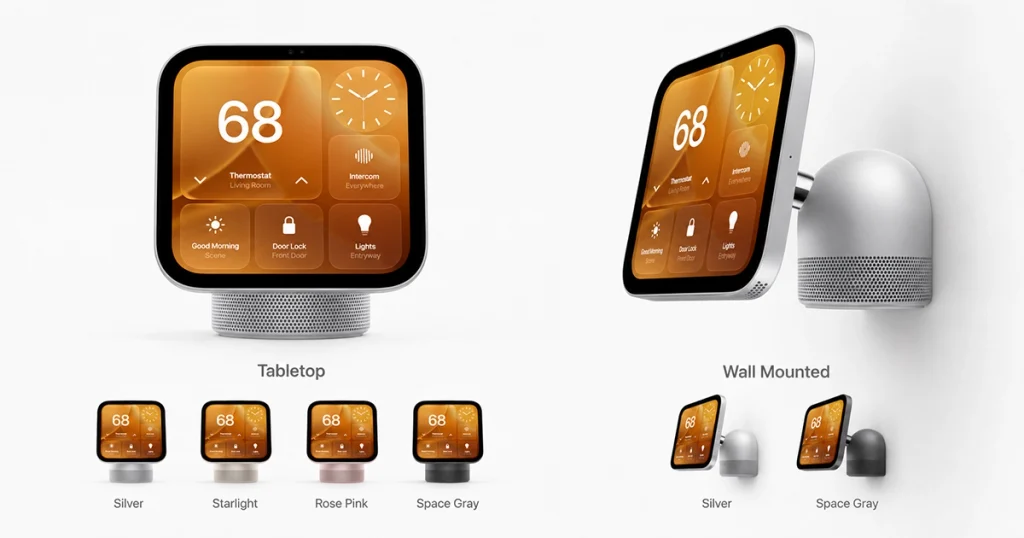
| Models | Tabletop and wall-mounted |
| Tabletop colors | Silver, Starlight, Rose Pink, Space Gray |
| Power | Wired; no internal battery |
Apple’s technical specifications confirm the 7-inch square display, A18 chip, Center Stage camera, Wi-Fi 6E, Bluetooth 6.0, Thread support and environmental sensors.
1. The 7-Inch Display Is Designed as a Shared Home Screen
HomeView uses a 7-inch Liquid Retina touchscreen with a square 1088 × 1088 resolution.
That may sound small compared with an iPad, but the device is intended for quick information rather than long-form tablet use.
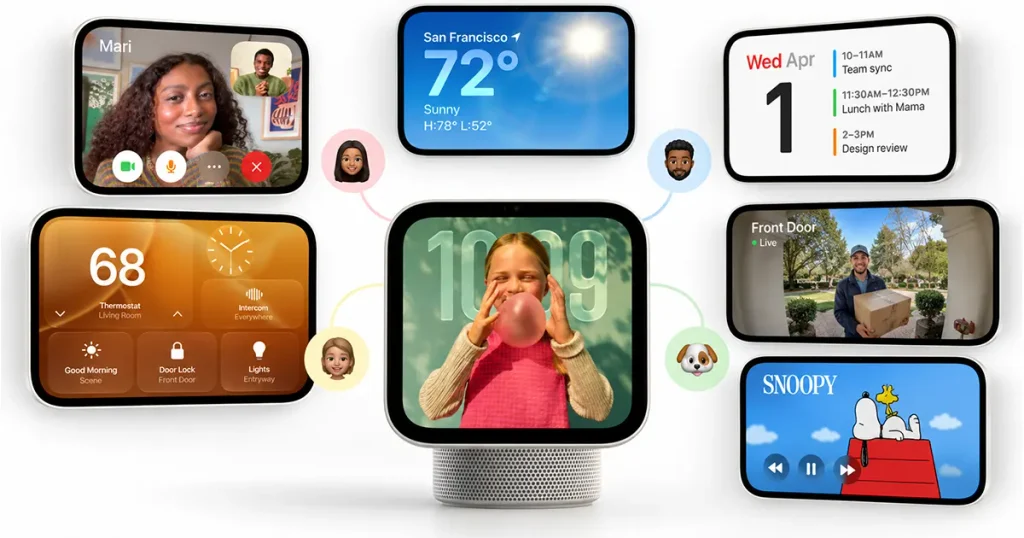
Its interface can show things such as clocks, photos, weather, smart-home controls, calendars and cameras. Apple also adjusts what the screen shows based on how close you are: information becomes simpler and easier to read from across a room, then more detailed as you approach.
One particularly useful specification is the brightness range.
Apple rates the screen at up to 500 nits, but it can dim as low as 0.3 nits, which should make it far less distracting on a bedside table at night.
That gives HomeView more flexibility than a normal tablet permanently sitting on a stand.
2. Siri AI Is the Core of the Product
HomeView runs Apple’s newer Siri AI, powered by Apple Intelligence.
Apple says Siri can handle more natural conversations, answer general questions and use personal context from a connected Apple device to help with more complicated requests.
That could include requests involving information from:
- Messages
- Calendar
- Music
- household devices
- personal reminders
- other supported Apple data
But there is a major qualification.
For Siri requests that use personal context, HomeView relies on a paired Apple Intelligence-compatible iPhone or iPad running the latest supported software.
So the A18 chip inside HomeView does not make it completely independent.
3. It Recognizes Up to Six People
HomeView is designed to be shared without showing everyone the same personal information.
Apple says it can recognize up to six household members using face and voice recognition. Once identified, the interface changes to show that person’s own widgets, calendar information, messages and other personalized content.
This is one of the most important HomeView features.
A family can leave one display in a kitchen or hallway, but different people can still receive different experiences.
Apple also puts additional limits around personal content. Messages and Calendar data generally appear only when HomeView recognizes the enrolled user and the person’s paired iPhone or iPad is nearby and has been recently unlocked.
That reduces the risk of a shared family display becoming a privacy problem.
4. HomeView Has Real Smart-Home Controls
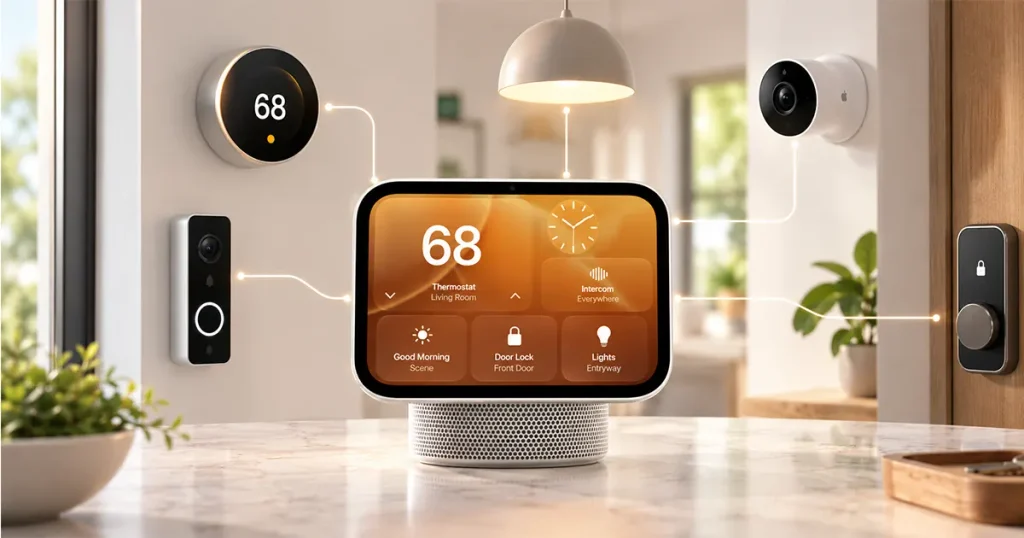
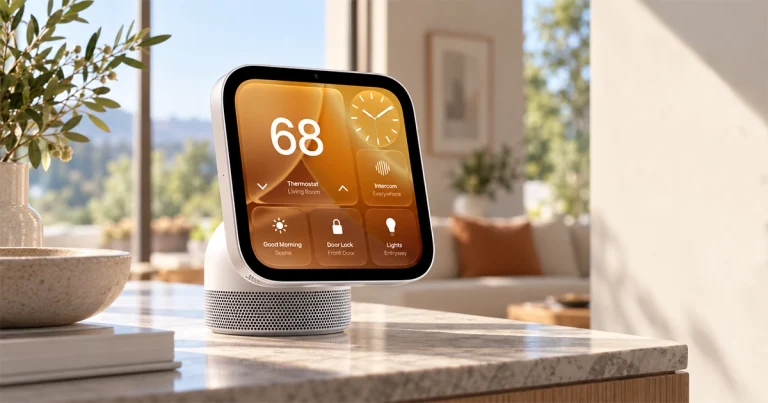
HomeView acts as a central dashboard for Apple Home.
You can use Siri or the touchscreen to manage compatible:
- lights
- locks
- thermostats
- cameras
- doorbells
- scenes
- other Apple Home accessories
Apple says HomeView works with the new Apple Home Collection, as well as existing Works with Apple Home and Matter-compatible products.
Thread networking is built into HomeView too, according to Apple’s technical specifications.
That matters because Thread is increasingly important for modern Matter devices such as sensors, lights and locks.
5. Home Camera Can Show Up to Nine Camera Feeds
One of the most useful faces is Home Camera.
MacRumors reports that HomeView can show up to nine smart-camera feeds simultaneously, giving users a wall of camera views without opening the Home app on another device.
That could be particularly useful for:
- front-door cameras
- indoor cameras
- outdoor security cameras
- nurseries
- driveways
Apple also integrates HomeKit Secure Video features such as recognition of people, pets, packages and vehicles when the required compatible equipment and iCloud+ subscription are in place.
For homes already invested in Apple Home cameras, this may become one of HomeView’s strongest features.
6. It Has Temperature and Humidity Sensors
HomeView contains built-in temperature and humidity sensors.
Apple lists those alongside an ambient-light sensor and accelerometer in the official specifications.
This means HomeView can do more than simply display thermostat information—it can also contribute environmental readings from the room where it is located.
MacRumors reports that Apple’s new Home-compatible thermostats can use environmental readings from multiple devices, including HomeView, HomePod and standalone sensors.
There are some limitations.
Apple says the sensors are optimized for typical indoor conditions, and prolonged loud audio playback can affect accuracy temporarily.
7. FaceTime Uses a 12MP Center Stage Camera
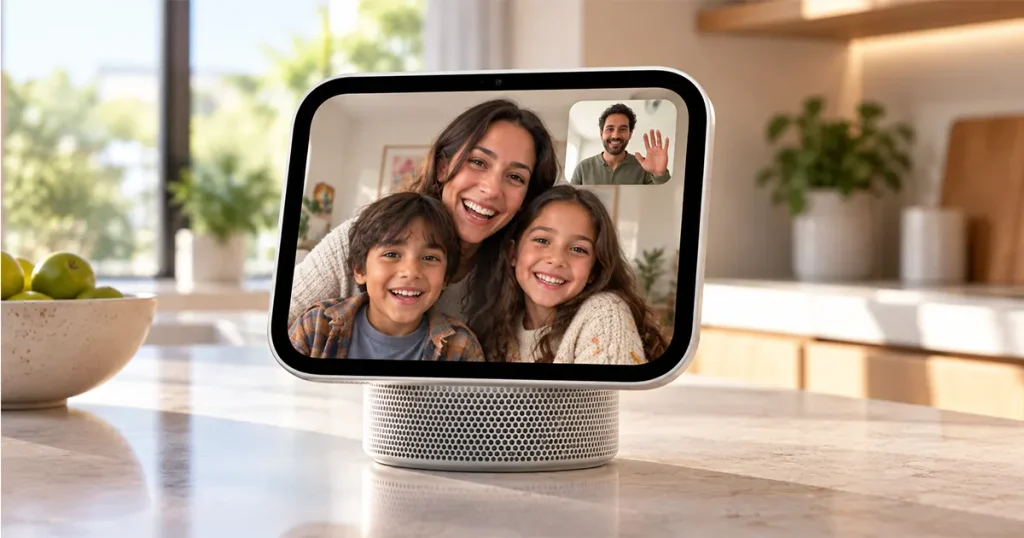
HomeView includes a 12MP Center Stage camera with an f/2.4 aperture.
You can make FaceTime video or audio calls directly from HomeView over Wi-Fi.
Center Stage automatically adjusts the camera view to help keep people visible during a call, making the device useful in spaces such as kitchens where someone may be moving around instead of sitting directly in front of the display.
TechCrunch describes FaceTime as one of HomeView’s central communication features alongside messaging and smart-home control.
This is one advantage HomeView has over Google’s standard 7-inch Nest Hub, which does not include a camera. Google’s larger Nest Hub Max does.
8. It Includes 15 Built-In Apple Apps
HomeView is not simply a giant Home app.
Apple officially lists 15 built-in apps:
Alarms, Calendar, FaceTime, Find My, Home, Intercom, Messages, Music, Podcasts, Reminders, Safari, Settings, Timers, Weather and World Clock.
That gives it considerably more standalone functionality than a basic smart display.
For example, a kitchen HomeView could handle timers, music, recipes in Safari, messages and video calls without constantly requiring you to open another device.
MacRumors provides the same complete built-in app list based on Apple’s specifications.
9. Spotify Works—but Not Like a Native HomeView App
This is one of the biggest questions buyers are likely to have.
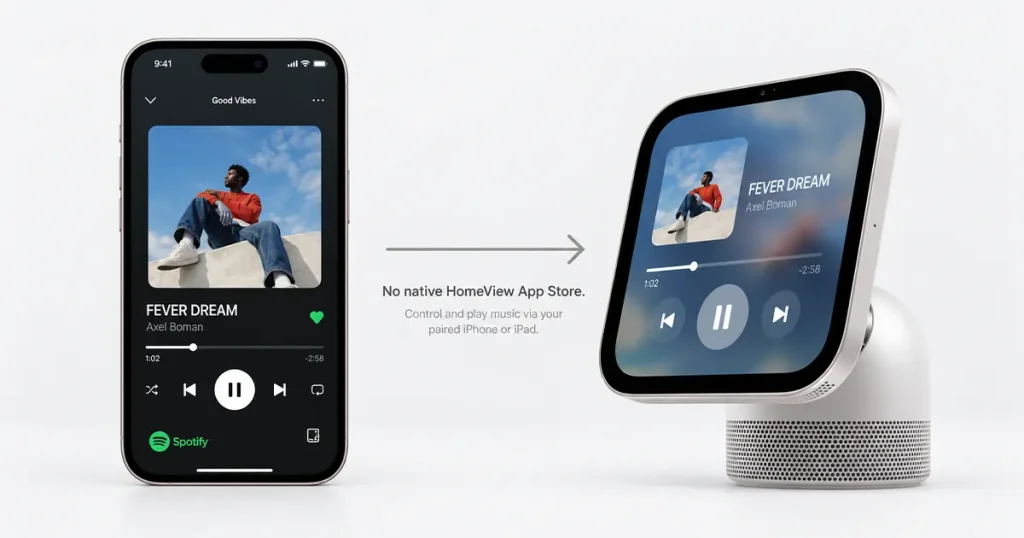
Yes, HomeView can support Spotify, but it does not have a HomeView App Store where you independently download Spotify.
Apple instead uses a CarPlay-like system for supported third-party audio and video apps from a paired iPhone or iPad. MacRumors specifically identifies Spotify as one of the supported examples.
That means the experience is more dependent on your other Apple device than the native app model used on an iPad.
The same system can make additional supported audio/video services available as developers add compatibility.
This is an important limitation to understand before buying.
10. There Is No App Store
This may be HomeView’s biggest software limitation.
HomeView does not have its own App Store.
That means users cannot simply browse thousands of apps and install whatever they want as they would on an iPad.
The built-in Apple apps are available directly, while supported third-party services are delivered through the connected iPhone/iPad system described above.
The Verge also reports that some major entertainment experiences, including video services, are not fully native HomeView applications yet and can depend on AirPlay or a paired device.
So anyone imagining HomeView as a $299 mini iPad should adjust expectations.
It is primarily a smart-home display, not a general-purpose tablet.
11. The Customizable Faces Are More Useful Than They Sound
HomeView borrows an idea from Apple Watch: customizable faces.
Apple has shown several, including:
| Face | What it does |
|---|---|
| Photos | Turns HomeView into a digital photo frame |
| Flow | Animated design that reacts to movement |
| Snoopy | Animated Snoopy scenes |
| Calendar | Calendar-focused information |
| Weather | Weather information |
| Home Modular | Quick smart-home controls |
| Home Camera | Live camera feeds |
Some faces automatically change throughout the day.
The Snoopy face, for example, can adapt animations based on time, weather, holidays and sporting events, while the Photos face can rotate through shared albums.
These faces may sound cosmetic, but they determine what HomeView does when nobody is actively using it.
12. The Tabletop Version Has Much Better Audio Hardware
Apple sells two HomeView models for the same $299 price:
Apple HomeView and Apple HomeView (Wall Mounted).
They share the same screen and core computing hardware, but their speakers are not identical.
The tabletop version includes:
- two custom full-range drivers
- a down-firing woofer
- dual force-cancelling passive radiators
The wall-mounted version uses only two custom full-range drivers.
Both support Spatial Audio and computational audio.
That means the tabletop model is likely the better choice if music playback matters to you.
The wall version is more about saving counter space.
13. The Wall-Mounted Version Costs the Same—but Needs Extra Hardware
Both versions cost $299, which initially makes the wall-mounted version sound like an easy choice if you want a permanent smart-home control panel.
But there is another cost.
Apple says the wall-mounted model requires a compatible mount and power equipment sold separately.
Apple lists Schneider Home mounting options beginning at:
$59.95 for the USB-C wall connector and $79.95 for an AC wired option, with a PoE version planned later for $129.95.
The tabletop HomeView includes a 30W power adapter and 1.5-meter USB-C cable.
So if you want the wall version, budget for more than the $299 advertised price.
14. Privacy Is a Major Part of Apple’s Pitch
Putting a camera, microphones and personal messages on a shared household display creates obvious privacy concerns.
Apple says the A18 chip includes Secure Exclaves that isolate camera and microphone processing from the rest of HomeView’s software.
Apple also says Siri requests can be processed:
- directly on HomeView
- through Private Cloud Compute when cloud processing is needed
According to Apple, data sent through Private Cloud Compute is not stored or made accessible to Apple.
Personal messages and calendars are also tied to user authentication rather than being openly displayed to everyone in the house.
That privacy model may be one of HomeView’s strongest arguments for households already comfortable with Apple’s ecosystem.
15. HomeView Is Built Around the Apple Ecosystem
This is the most important buying consideration.
HomeView works best if you already own Apple products.
Apple’s official system requirements call for an iPhone running iOS 27.2 or later or an iPad running iPadOS 27.2 or later.
Some personal Siri AI capabilities specifically require an Apple Intelligence-enabled iPhone or iPad.
Third-party apps can also depend on that paired device.
This makes HomeView much less attractive for an Android-first household.
If your home already uses:
- iPhones
- Apple Watch
- Apple Music
- FaceTime
- HomeKit / Apple Home
- iCloud+
- Apple TV
- HomePods
HomeView fits naturally into that system.
For someone using Android phones, Google Home and Google services, a Nest Hub may make more sense.
Apple HomeView vs Echo Show vs Google Nest Hub
The basic competition is clear: Apple is entering a category Amazon and Google have occupied for years.
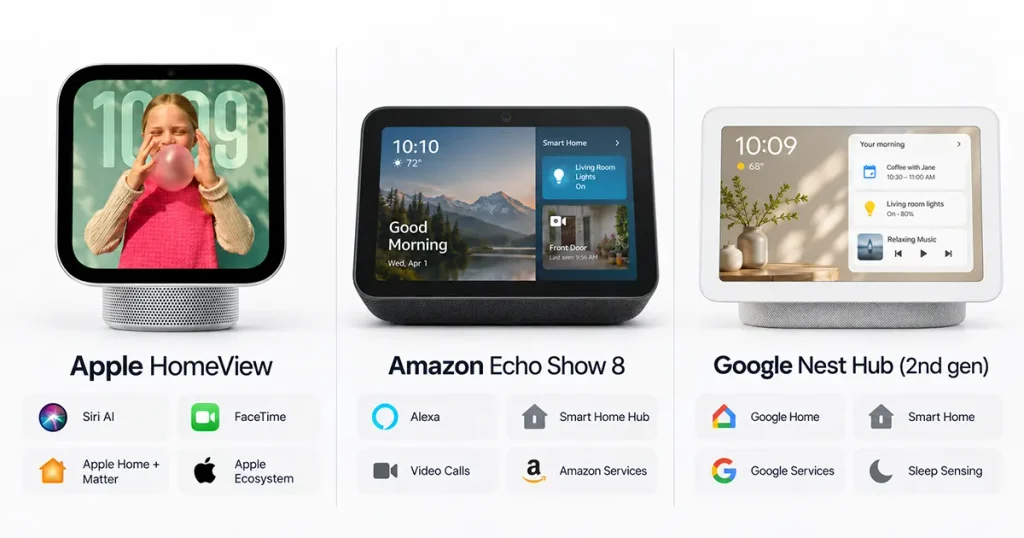
| Feature | Apple HomeView | Amazon Echo Show | Google Nest Hub |
|---|---|---|---|
| Starting price | $299 | Varies by model | Lower than HomeView |
| Display | 7-inch | Multiple sizes | 7-inch on Nest Hub |
| Camera | 12MP Center Stage | Model-dependent | No camera on 7-inch Nest Hub |
| Assistant | Siri AI | Alexa / Alexa+ | Google Assistant / Gemini ecosystem |
| Face recognition | Up to 6 users | Model-dependent | Voice Match / Face Match on some models |
| Matter support | Yes | Yes on compatible models | Yes |
| Thread | Yes | Model-dependent | Yes on Nest Hub 2nd gen |
| Native Apple apps | Strong | Limited | Limited |
| iPhone integration | Excellent | Good | Good |
| Android integration | Weak | Strong | Excellent |
| Spotify | Supported through paired-device system | Yes | Yes |
| App Store | No | No general tablet-style store | No general tablet-style store |
Google’s 7-inch Nest Hub has a 1024 × 600 display, Thread support and smart-home hub functionality, but lacks a camera for FaceTime-style calls.
HomeView’s biggest advantage is not that smart displays are new. It is Apple’s combination of Siri AI, FaceTime, personal Apple data and Apple Home inside one display.
Apple HomeView Price and Release Date
Apple HomeView costs $299 in the U.S.
The tabletop and wall-mounted versions both have the same base price. Preorders opened October 13, with availability beginning November 13, 2026.
The tabletop model comes in:
Silver, Starlight, Rose Pink and Space Gray.
The wall-mounted version is available only in:
Silver and Space Gray.
Apple initially lists availability in the U.S., UK, Australia, Canada, India, New Zealand and several additional markets, while the European Union is excluded from the initial launch because Siri AI is not currently available there.
Is Apple HomeView Worth $299?
For an Apple household, the price is easier to justify than it first appears.
HomeView combines several devices and functions:
a smart-home controller, FaceTime display, photo frame, music speaker, family calendar, smart-camera viewer, environmental sensor hub and Siri AI interface.
The bigger question is not whether it has enough features.
It is whether you actually need a permanent shared Apple screen in your home.
HomeView makes the most sense if your household already uses Apple Home, FaceTime, Messages, Apple Music, shared calendars and iCloud.
It is less compelling if you simply want a cheap speaker with a display.
The lack of a native App Store is also important. HomeView is intentionally more limited than an iPad, even though it shares some Apple software and an A18 chip.
So the early buying conclusion is:
HomeView looks strongest as a household control center for people already deeply invested in Apple—not as a general-purpose $299 tablet replacement.
Potential Pros and Cons
| Potential strengths | Potential limitations |
|---|---|
| Strong Apple ecosystem integration | Limited appeal outside Apple ecosystem |
| Siri AI and personal context | Some AI features need compatible iPhone/iPad |
| Face recognition for six people | No native App Store |
| 12MP FaceTime camera | Third-party apps depend on paired devices |
| Excellent smart-home dashboard | $299 is high for a basic smart display |
| Matter and Thread support | Wall mount accessories cost extra |
| Camera feed dashboard | EU launch delayed |
| Temperature/humidity sensors | Always requires wired power |
| Strong tabletop audio hardware | Wall-mounted version has weaker speaker hardware |
| Privacy-focused personalization | No independent long-term review yet |
Who Should Buy Apple HomeView?
HomeView looks best suited to an Apple-heavy household that already uses Apple Home, iPhone, FaceTime, Siri, shared calendars, HomeKit cameras and Apple Music.
It is particularly interesting for a kitchen, family room or entryway where several people need quick access to household information.
Who Should Skip Apple HomeView?
You should probably skip or wait on Apple HomeView if your household mainly uses Android phones, Google Home, or Alexa, because several of HomeView’s strongest features depend on Apple’s ecosystem. It also may not be the best choice if you want a fully independent app platform, since HomeView does not have its own App Store like an iPad.
Buyers who only need a simple clock, speaker, or basic smart-home screen may find the $299 price too high compared with cheaper Echo Show or Nest Hub options. It is also not ideal if you expect it to behave like a small iPad for installing any app you want. If your home is not already built around iPhone, FaceTime, Siri AI, Apple Home, and iCloud, a Google or Amazon smart display may offer a more natural fit and better value.



Add your first comment to this post