
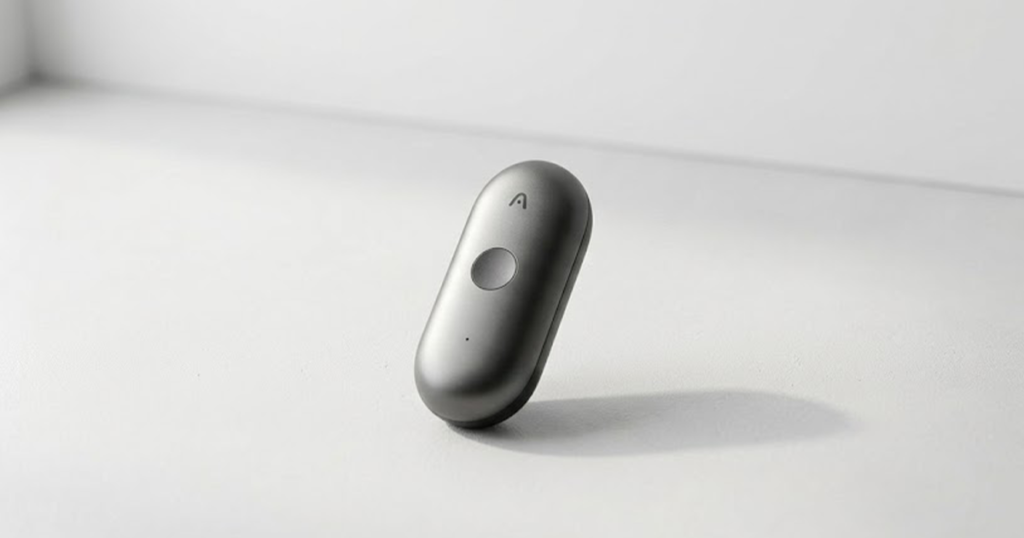
Taking notes during a meeting sounds simple until you’re trying to listen, remember important details, write everything down, and still participate in the conversation.
That’s where AI voice recorders and wearable devices such as Note Pins are becoming interesting.
Unlike traditional voice recorders, these devices are designed to do more than simply save an audio file. They can capture conversations and, through their companion software and AI services, turn those recordings into transcripts, summaries, action items, and searchable information.
The category is also expanding. PLAUD offers its Note and NotePin products, while Anker’s soundcore Work takes a different approach with a small wearable recorder and charging case. PLAUD currently describes NotePin as a hands-free device for in-person conversations, while its Note product is designed for both in-person conversations and phone calls.
So, why are people interested in these devices?
The biggest reason is not actually the recording itself. It’s what happens after the recording.
Instead of spending 20 or 30 minutes turning a conversation into usable notes, the goal is to let AI handle much of that work.
But there is an important catch: recording other people creates privacy and legal responsibilities. A tiny recorder can be convenient, but that doesn’t mean it should be used secretly.
This guide looks at what AI voice recorders and Note Pins really do, what people are likely searching for, their advantages and disadvantages, and whether this new category is genuinely useful or simply another productivity gadget.
What are AI voice recorders?
An world best AI voice recorder is a dedicated recording device combined with software that uses artificial intelligence to process recorded audio.
A traditional recorder primarily gives you an audio file.
An AI recorder aims to turn that audio into something more useful.
Depending on the product and available software, that can include:
-
- Audio recordings
-
- Transcriptions
-
- Speaker identification or labels
-
- AI-generated summaries
-
- Key points
-
- Action items
-
- Searchable conversations
-
- Structured notes
-
- Questions and answers based on recordings
-
- Shareable outputs
For example, PLAUD says its devices can produce transcripts and summaries and let users work with recorded information through its software ecosystem. Its current product lineup includes the PLAUD Note, NotePin and NotePin S.
The important distinction is that the hardware is only one part of the product.
The recorder captures the information. The companion app and AI service turn that information into something you can actually use.
What is a Note Pin?
A Note Pin is essentially a wearable AI note-taking device.
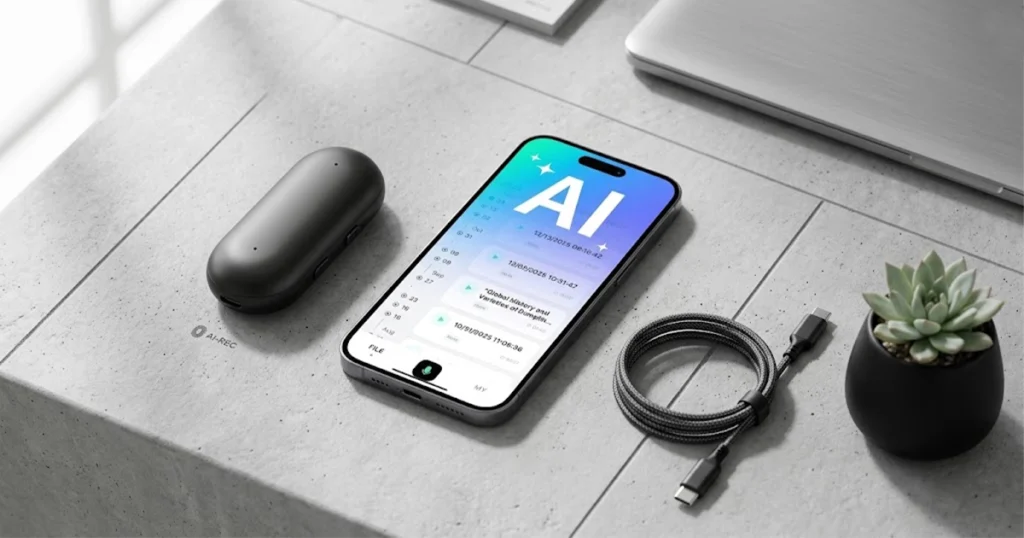
Instead of sitting on a desk or being held in your hand, a device such as PLAUD NotePin can be worn using different attachment methods.
PLAUD currently lists necklace, wristband, clip and pin-style wearing options for NotePin. The company positions it primarily for hands-free capture of in-person conversations.
This solves a surprisingly practical problem.
Your phone is already capable of recording audio, but pulling it out, opening an app, starting a recording and keeping it somewhere useful can feel awkward during a conversation.
A wearable recorder is designed around a different idea:
Press a button, record the conversation, and deal with the notes later.
That makes the device particularly interesting for meetings, interviews, sales conversations, classes, brainstorming sessions and situations where constantly typing notes is distracting.
Why are AI voice recorders becoming a productivity trend?
The productivity appeal is straightforward: they separate listening from note-taking.
When you’re manually taking notes, your attention is divided.
You might hear an important sentence while you’re still writing down the previous one. You may also stop participating because you’re worried about missing information.
An AI recorder changes that workflow.
Instead of:
Listen → write → listen → write → organize notes
the intended workflow becomes:
Listen → record → let AI process → review useful information
That doesn’t eliminate the need for human judgment. It simply moves much of the mechanical work to software.
And that’s where I think this category becomes more interesting than ordinary digital voice recorders.
The real product isn’t the microphone.
The real product is the reduction of post-conversation work.
What are people searching for about AI voice recorders?
There isn’t a reliable public search-volume dataset in the official product sources that lets us say exactly which query is searched the most. So rather than inventing search numbers, it is safer to look at the questions that naturally dominate this product category.
These are the search intents worth targeting when researching AI voice recorders.
1. What is the best AI voice recorder?
This is probably the most obvious buyer question.
People aren’t just looking for a recorder. They want to know which device best matches their situation.
The answer depends on what they need.
Someone who mainly records face-to-face meetings may prefer a wearable recorder such as NotePin.
Someone who needs to capture phone conversations may need a different type of device. PLAUD explicitly says its Note is designed for in-person conversations and phone calls, while NotePin is not designed for recording phone calls.
So “best” isn’t one universal answer.
2. How does an AI voice recorder work?
The basic process is easier to understand than it sounds:
-
- The device captures audio.
-
- The recording is transferred to its companion software.
-
- Speech is converted into text.
-
- AI processes the transcript.
-
- The software can generate useful outputs such as summaries or action items.
The exact workflow varies by manufacturer and product.
This distinction matters because an AI recorder is not necessarily an entirely self-contained AI computer. Many products depend heavily on a companion app and cloud-based services.
3. Are AI voice recorders worth it?
This is where things become personal.
If you rarely attend meetings, interviews or long conversations, a smartphone recorder may already be enough.
But if you regularly spend time turning conversations into notes, the value proposition becomes much stronger.
The device can potentially save time not because recording is difficult, but because organizing information afterward is tedious.
PLAUD itself makes productivity-saving claims based on its own estimates, so those numbers should be treated as manufacturer estimates rather than independent measurements.
4. Are AI voice recorders safe and private?
This is one of the most important questions—and one that buyers should ask before looking at specifications. Of course OpenAI cybersecurity is also .
A recorded conversation can contain names, phone numbers, business information, financial details, health information or other sensitive data.
PLAUD lists security and privacy certifications and protections across its ecosystem, while its product pages also remind users to notify others and obtain their agreement before recording.
But a company’s security features don’t automatically make every recording legally permissible.
The laws governing recording conversations vary by jurisdiction.
In the European context, for example, audio recordings connected to identifiable people can constitute personal data, and lawful processing may require an appropriate legal basis.
My advice: if you’re recording another person, make disclosure and consent part of your normal workflow instead of treating privacy as an afterthought.
AI Voice Recorders vs. Smartphone Recording
A reasonable question is: Why buy another device when my phone already records audio?
That’s a fair criticism.
Your smartphone already has:
-
- A microphone
-
- A recorder
-
- Internet connectivity
-
- AI apps
-
- Transcription tools
-
- Cloud storage
-
- Note-taking apps
So the advantage of a dedicated AI recorder isn’t necessarily that it can do something your phone fundamentally cannot.
The advantage is friction.
A dedicated device can be easier to activate, carry and keep ready for a conversation.
For example, PLAUD positions NotePin around hands-free, wearable recording, while soundcore Work is designed as a small recorder that can be worn or attached and then managed through its software.
That may sound like a small difference.
In productivity tools, however, small amounts of friction can determine whether you actually use something every day.
The biggest benefits of AI voice recorders
1. You can focus more on the conversation
This is probably the strongest benefit.
Instead of constantly looking down at a notebook or laptop, you can give more attention to the person speaking.
That’s especially useful during interviews, client meetings and brainstorming sessions.
2. Conversations become searchable information
A recording sitting inside a folder isn’t particularly useful if you can’t find anything in it.
AI transcription changes that.
Once audio becomes searchable text, you can look for specific topics instead of manually scanning an entire recording.
PLAUD’s current software also promotes global search across files and question-answer functionality based on recorded information.
3. Summaries can reduce administrative work
After a meeting, the actual work often starts.
You may need to create:
-
- Meeting notes
-
- Action items
-
- Follow-up messages
-
- Project updates
-
- Decisions
-
- Task lists
AI-generated summaries can provide a starting point.
You should still review them before treating them as a final record.
4. Wearable designs make recording less disruptive
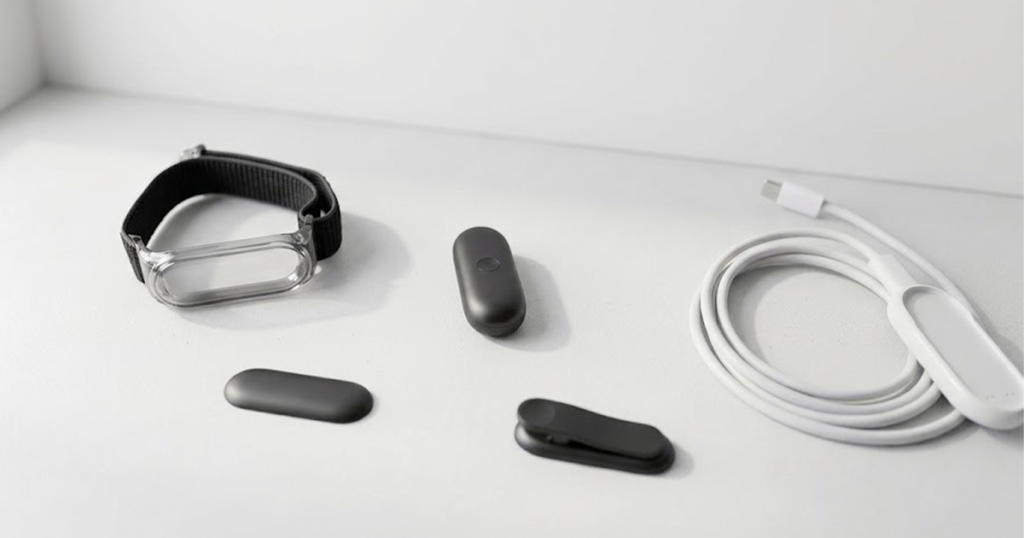
A wearable device doesn’t require you to keep your phone on the table.
That can make spontaneous ideas and conversations easier to capture.
PLAUD specifically markets NotePin around lightweight, wearable and hands-free capture.
5. It can become an external memory system
This is the more interesting long-term idea.
Instead of thinking of an AI recorder as a “meeting recorder,” think of it as a searchable archive of information you intentionally captured.
You could potentially return to an old conversation and ask:
“What decisions did we make about this project?”
That is much more useful than simply replaying an hour-long recording.
The disadvantages you should know before buying
AI voice recorders aren’t magic.
1. You are creating another device ecosystem
Buying the hardware may be the easy part.
You may also need:
-
- A mobile app
-
- An account
-
- Cloud services
-
- AI transcription
-
- Subscription plans
-
- Internet connectivity for some workflows
PLAUD, for example, currently offers different transcription and AI subscription tiers alongside its hardware.
That means the long-term cost can be more important than the initial hardware price.
2. AI summaries can still be wrong
AI can misunderstand speech.
It can also misinterpret names, technical terminology, accents or unclear audio.
A summary may sound confident while still containing an incorrect detail.
This is particularly important in professional, legal, financial or medical contexts.
Never assume an AI-generated transcript or summary is automatically an authoritative record.
3. Privacy is a serious issue
A small wearable recorder can make recording easier—which is exactly why privacy becomes more important.
The smaller and more convenient the device becomes, the easier it may be to forget that other people are being recorded.
That is not a technical problem. It’s a behavioral one.
Some jurisdictions also have specific rules around recording conversations, so users should check the laws that apply to their situation.
4. Subscriptions can change the value equation
Some AI recorders include a free amount of transcription and then offer paid plans for additional usage or features.
PLAUD currently advertises a free Starter tier with 300 transcription minutes per month, alongside paid plans.
For occasional users, the included allowance may be enough.
For heavy users, subscription costs become part of the real price of ownership.
5. Dedicated hardware isn’t always necessary
This is probably the biggest argument against buying one.
If your phone already handles your recording and transcription needs, a dedicated device may simply add another gadget to your daily life.
Before buying, ask:
What problem am I solving that my phone doesn’t already solve?
If you don’t have a good answer, save your money.
Note Pins vs. traditional AI voice recorders
The difference is mostly about form factor and workflow.
Traditional AI voice recorder
Usually designed to sit on a table, be carried in a pocket, or attach to another device.
Best suited for:
-
- Meetings
-
- Interviews
-
- Lectures
-
- Longer stationary conversations
Wearable Note Pin
Designed to stay with you while you’re moving.
Best suited for:
-
- Face-to-face conversations
-
- Quick ideas
-
- Field work
-
- Walk-and-talk discussions
-
- Hands-free note capture
PLAUD makes this distinction directly: its Note product supports in-person conversations and phone calls, while NotePin focuses on in-person conversations and wearable capture.
A useful detail many buyers overlook
One of the least obvious things about these products is that the hardware specifications aren’t necessarily the most important part of the buying decision.
People naturally compare:
-
- Battery
-
- Storage
-
- Microphones
-
- Weight
-
- Recording time
Those specifications matter.
But for an AI note-taking device, the software experience can matter just as much.
Ask:
-
- How good is the transcription workflow?
-
- Can I search old recordings?
-
- Can I export my notes?
-
- What AI models or processing options are available?
-
- How much transcription is included?
-
- What happens when I cancel my subscription?
-
- Can I access my recordings without the app?
-
- How is my data stored?
-
- What happens to recordings after deletion?
-
- Does the product support my language?
Those questions can tell you more about the long-term usefulness of the device than a slightly larger battery.
Another important detail: not every AI recorder works the same way
The phrase AI voice recorder makes these products sound interchangeable.
They aren’t.
For example, PLAUD NotePin S is specifically described by PLAUD as a wearable AI note taker for in-person conversations, and the company states that it isn’t designed for phone-call recording or USB-to-PC mass-storage access.
Meanwhile, soundcore Work is positioned around recording, transcription and AI summaries, with its own hardware and software workflow.
So before buying any AI recorder, check the exact workflow—not just the marketing category.
Pros and cons at a glance
Pros
-
- Hands-free recording: Useful when you don’t want to hold a phone.
-
- Less manual note-taking: You can focus more on listening.
-
- AI transcription: Turns conversations into searchable text.
-
- AI summaries: Can reduce post-meeting work.
-
- Searchable information: Older conversations can become easier to revisit.
-
- Useful for professionals: Particularly relevant to people who attend many meetings or interviews.
-
- Portable: Small dedicated devices can stay ready for spontaneous ideas.
-
- Potential workflow automation: Some ecosystems can transform conversations into different structured outputs.
Cons
-
- Additional hardware: Another device needs charging and management.
-
- Subscription costs: Advanced AI features may require paid plans.
-
- Privacy concerns: Recording other people requires care.
-
- Legal differences: Recording laws vary by location.
-
- AI errors: Transcripts and summaries can contain mistakes.
-
- Phone alternatives: Many people can achieve similar results with existing smartphone apps.
-
- Cloud dependence: Some workflows rely heavily on an app or online service.
-
- Ecosystem lock-in: Your recordings and AI workflow may become tied to a particular platform.
Who should buy an AI voice recorder?
An AI voice recorder makes the most sense if you regularly deal with large amounts of spoken information.
Good candidates include:
Students: For lectures and study discussions, where recording is permitted.
Journalists and interviewers: For capturing interviews and creating transcripts.
Sales professionals: For remembering customer conversations and follow-up actions.
Consultants: For documenting meetings and turning conversations into structured notes.
Content creators: For interviews, brainstorming and spontaneous ideas.
Managers: For meetings where decisions and action items need to be tracked.
Researchers: For interviews and field conversations where recording is permitted.
Who probably doesn’t need one?
You probably don’t need a dedicated AI recorder if:
-
- You rarely attend meetings.
-
- You already use your phone successfully.
-
- You don’t need searchable transcripts.
-
- You dislike subscription services.
-
- You don’t want another device to charge.
-
- You mostly write short notes yourself.
In that situation, buying an AI recorder could solve a problem you don’t actually have.
My take: Are AI voice recorders really the next productivity device?
I think the category has real potential, but the recorder itself isn’t the breakthrough.
The interesting part is what happens after the recording.
For years, voice recorders gave us audio files. AI can turn those files into information that is easier to search, summarize and act on.
That changes the role of the device.
However, I don’t think everyone needs one.
For a person who attends several meetings every week, interviews people or constantly loses useful ideas because they don’t have time to write them down, an AI voice recorder could become genuinely useful.
For everyone else, a smartphone may be enough.
There’s also a bigger question that I think buyers should consider: How much of your life do you actually want recorded?
The ability to remember everything sounds attractive until you consider how much sensitive information everyday conversations contain.
So my recommendation is simple:
Buy an AI voice recorder for a specific workflow, not because “AI” is printed on the box.
If it saves you meaningful time every week, it can make sense. If it simply duplicates what your phone already does, it may end up as another gadget sitting in a drawer.
Privacy: the part you shouldn’t skip
Before using any AI voice recorder, check the rules that apply to your location.
Don’t assume that because a device can record, you are automatically allowed to record everyone around you.
The European Data Protection Board notes that people should be informed about telephone recording and related processing, including purposes and relevant rights.
The European Commission also explains that when consent is required under GDPR, it must be informed, specific, freely given and clear.
For everyday use, the safest habit is straightforward:
Tell people when you’re recording and get their agreement when required.
Also avoid recording sensitive conversations unless you have a clear, legitimate reason and understand the applicable rules.
Conclusion
AI voice recorders and Note Pins are moving voice recording from simple audio capture toward something more useful: capturing information and turning it into organized knowledge.
The strongest reason to consider one isn’t the recording itself. It’s the possibility of spending less time writing, transcribing and organizing conversations afterward.
But this category has real trade-offs. Hardware cost, subscriptions, AI accuracy, platform limitations and privacy all matter.
The best AI voice recorder isn’t necessarily the one with the longest battery or the most impressive specification sheet.
It’s the one that fits your actual workflow.
And before you press record, remember one simple rule: convenience doesn’t remove the responsibility to respect other people’s privacy.



Add your first comment to this post