
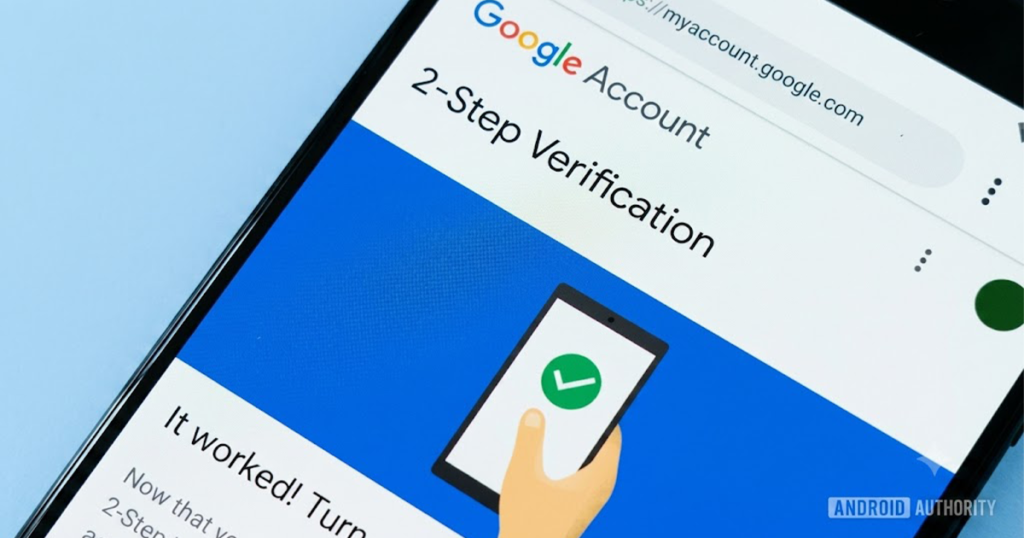
Cyberattacks, phishing scams, and password leaks happen every day. Even if you use a strong password, your account can still be compromised if someone steals or guesses it.
That’s why Two-Factor Authentication (2FA) is one of the most important security features you can enable.
Whether you’re protecting your Google account, banking app, Instagram, TikTok, Facebook, or email, enabling 2FA dramatically reduces the risk of unauthorized access.
What Is Two-Factor Authentication (2FA)?
Two-Factor Authentication (2FA) is an extra layer of security added to your online accounts.
Normally, you sign in using:
- Your username or email
- Your password
With 2FA enabled, you’ll also need a second verification method, such as:
- A one-time code from an authenticator app
- A security key
- A push notification
- A fingerprint or Face ID
- An SMS verification code
Even if someone steals your password, they cannot access your account without the second verification step.
How to Set Up Two-Factor Authentication (2FA) on a Google Account
Your Google account protects Gmail, Drive, Photos, YouTube, and many other services.
Setting up 2-Step Verification (2FA) on your Google Account adds an essential layer of security to protect your emails, photos, files, and personal data.
1.Access Your Google Account Security Settings:
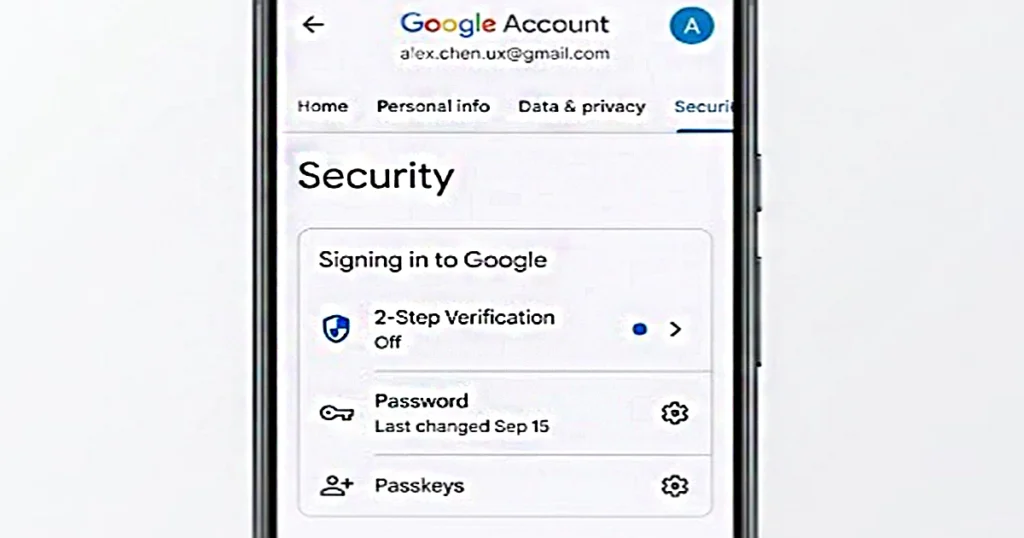
- Open your web browser on a computer or phone and go to myaccount.google.com.
- Log in using your Google email address and current password if prompted.
- In the menu panel (on the left for desktop, or in the top navigation tab for mobile), click Security.
2.Begin 2-Step Verification Setup:
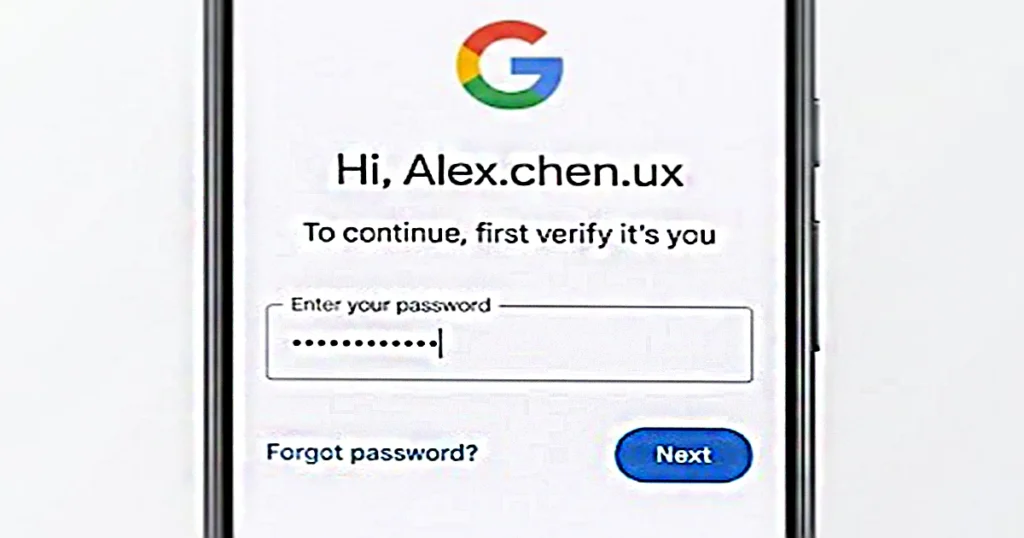
- Scroll down to the How you sign in to Google section.
- Click on 2-Step Verification.
- Click the Get Started button.
- Google will ask you to re-enter your Google password to verify your identity before continuing.
3.Add Your Primary Verification Method (Phone Number or Google Prompt):
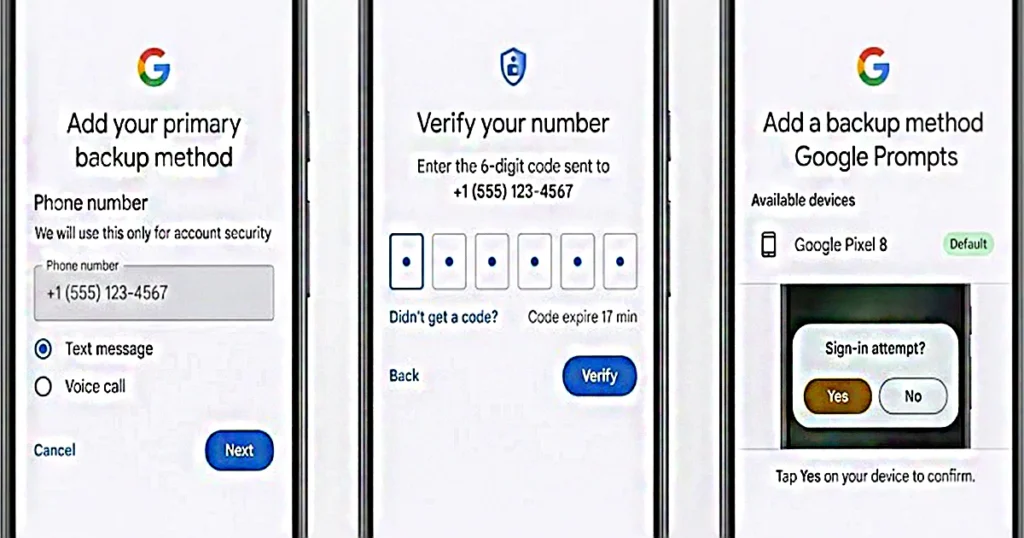
- Option A — Phone Number (SMS / Call):
- Enter your active mobile phone number.
- Choose whether you want to receive codes via Text message (SMS) or Voice call.
- Click Next.
- Enter the 6-digit verification code sent to your phone and click Verify.
- Option B — Google Prompts (Default on Android/iOS):
- If you are already signed in to your Google Account on an Android phone or iPhone (via the Gmail or Google app), your device will automatically appear.
- Click Continue and tap Yes on the notification prompt that pops up on your phone to confirm.
4.Turn On 2-Step Verification:
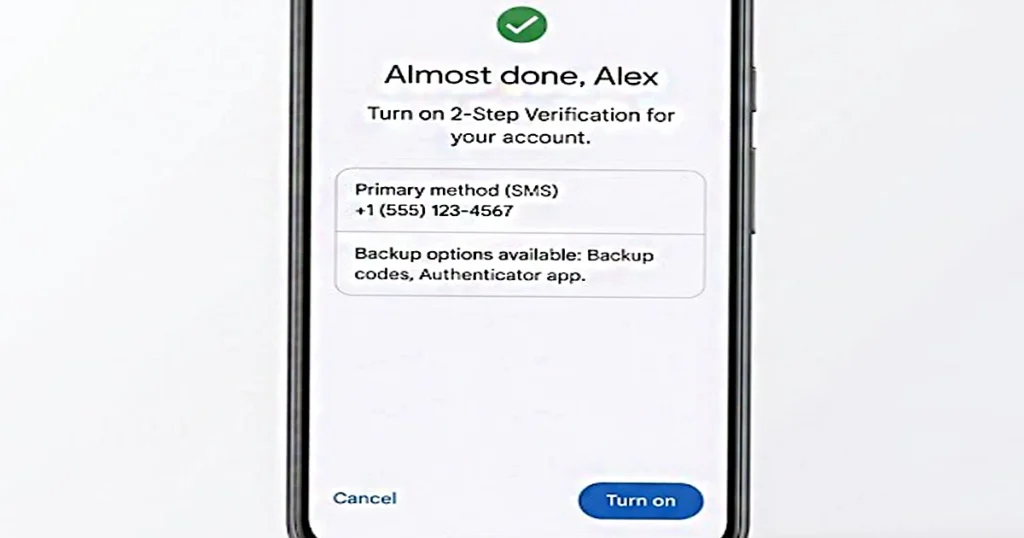
- Review the details on screen confirming your chosen second step.
- Click Turn On to officially activate 2FA on your account.
5.Set Up Backup Verification Options (Crucial Step):
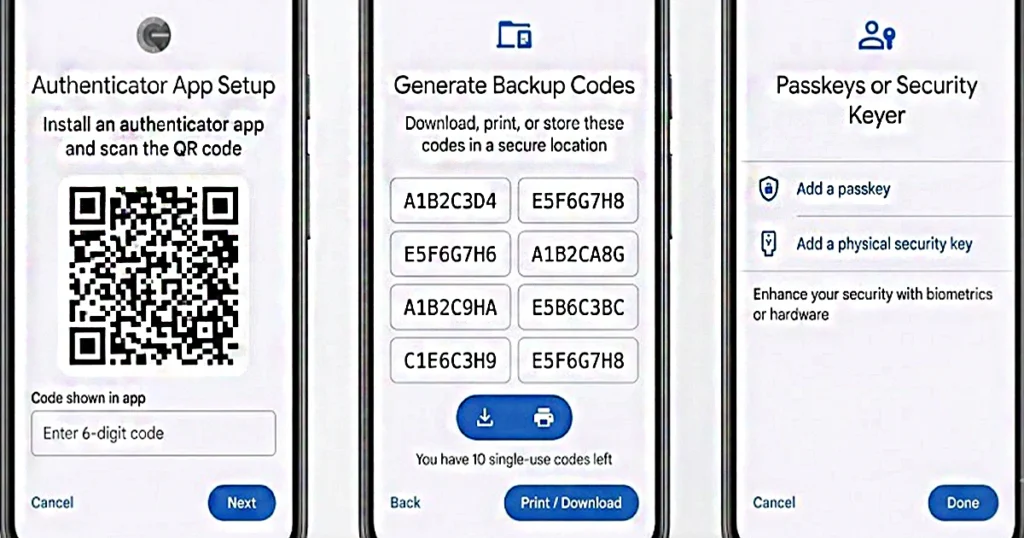
If you lose access to your primary phone, backup methods keep you from getting permanently locked out:
- Authenticator App (Recommended):
- Under the 2-Step Verification page, scroll down to Authenticator app and click Set up authenticator.
- Install Google Authenticator (or Microsoft/Authy) on your phone.
- Scan the QR code displayed on your screen using the app, then enter the 6-digit generated code to confirm.
- Backup Codes:
- Click on Backup codes under the 2FA settings.
- Generate a list of 10 single-use backup codes.
- Download, print, or store these codes in a secure location (like a password manager).
- Passkeys or Security Keys:
- Under 2FA settings, you can add physical USB hardware keys (like YubiKey) or register your phone’s biometric lock (fingerprint/face ID) as a Passkey for quick, passwordless security.
Important Tips:
New devices:When signing in on a new phone or computer, you will be prompted for your password plus your chosen second step (prompt, SMS code, or authenticator code).
Don’t share codes:Google will never call or message you to ask for a 2FA verification code.
Google Authenticator vs SMS Verification
| Feature | Google Authenticator | SMS Verification |
|---|---|---|
| Internet Required | No | Yes |
| Mobile Signal Required | No | Yes |
| Resistant to SIM Swapping | Yes | No |
| Works Offline | Yes | No |
| Security Level | High | Medium |
How to Set Up 2FA on Instagram
- Open Instagram.
- Go to Settings and Activity.
- Select Accounts Center.
- Tap Password and Security.
- Choose Two-Factor Authentication.
- Select your account.
- Choose:
- Authentication App (recommended)
- WhatsApp (where available)
- SMS
Complete the setup and save your recovery codes.
How to Set Up 2FA on Facebook (Step-by-Step)
- Open Facebook and log in to your account.
- Click your Profile Picture in the top-right corner.
- Go to Settings & Privacy → Settings.
- Select Accounts Center.
- Click Password & Security.
- Choose Two-Factor Authentication (2FA).
- Select the Facebook account you want to secure.
- Choose a verification method:
- Authenticator App (Recommended)
- Text Message (SMS)
- Security Key (if supported)
- Follow the on-screen instructions to complete the setup.
- Enter the verification code (if required) and click Confirm.
- Save your Recovery Codes in a secure place in case you lose access to your primary 2FA method.
- Test your 2FA by signing out and signing back in to ensure it works correctly.
Tip: For the strongest security, use an authenticator app instead of SMS whenever possible. Also want to know to know how to make Your Facebook Account Private.
How to Set Up 2FA on TikTok
- Open TikTok.
- Go to Settings and Privacy.
- Select Security & Permissions.
- Tap 2-Step Verification.
- Choose verification methods such as:
- Authenticator App
- SMS
Follow the prompts to activate protection.
How to Set Up 2FA on Banking Apps
Most banks now support two-factor authentication.
While the exact steps vary, the process is generally:
- Log in to your banking app.
- Open Security Settings.
- Find Two-Factor Authentication or Multi-Factor Authentication.
- Enable it.
- Verify your identity.
- Save any recovery information.
Some banks may require:
- Fingerprint authentication
- Face recognition
- Push notifications
- Security tokens
- SMS verification
Always use your bank’s official app or website when enabling security features.
Save Your Backup Codes
Many services provide backup or recovery codes during 2FA setup.
These codes allow you to regain access if you lose your phone.
Store them:
- In a password manager
- In a secure encrypted note
- Printed and kept in a safe place
Avoid storing them in easily accessible locations.
Common Mistakes to Avoid
Many users weaken their security by making avoidable mistakes.
Avoid:
- Using the same password everywhere
- Ignoring backup codes
- Using weak passwords
- Sharing verification codes
- Falling for phishing websites
- Disabling 2FA for convenience
Additional Ways to Secure Accounts
2FA is essential, but it works best alongside other security practices:
- Use a unique password for every account.
- Use a trusted password manager.
- Keep your phone and apps updated.
- Watch for phishing emails and fake login pages.
- Review connected devices regularly.
- Remove unused third-party app access.
- Enable login alerts where available.
Final Thoughts
Setting up Two-Factor Authentication (2FA) is one of the simplest and most effective ways to protect your online accounts. While no security measure is perfect, requiring a second verification step makes it significantly harder for attackers to gain access—even if they know your password.
For the strongest protection, use an authenticator app instead of relying solely on SMS verification, keep your recovery codes in a safe place, and pair 2FA with strong, unique passwords. Spending just a few minutes enabling 2FA today can help safeguard your email, finances, social media, and personal data for years to come.




Add your first comment to this post