
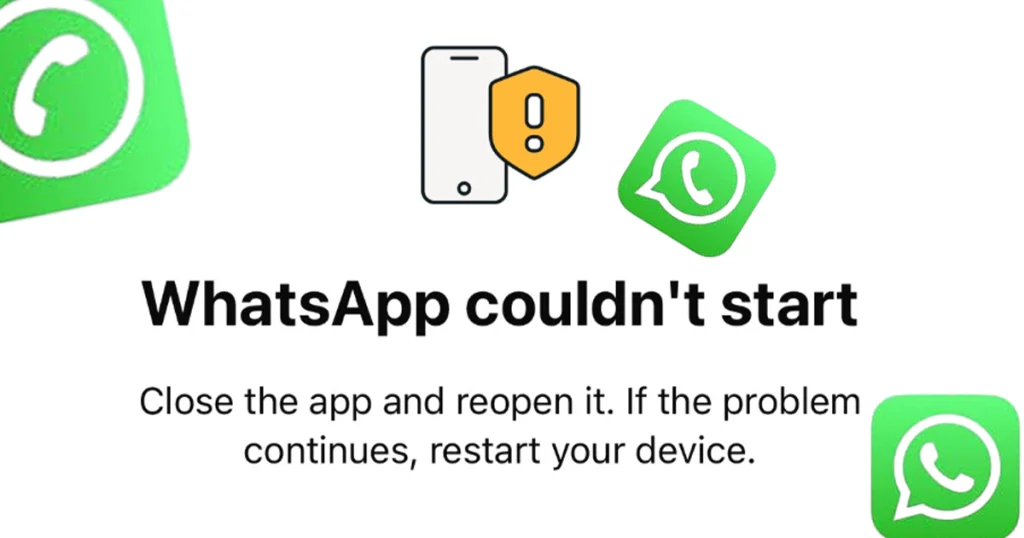
If WhatsApp suddenly stopped working on your old Android phone, the problem may not be your internet connection or the app itself. WhatsApp has officially ended support for Android versions below Android 6.0, meaning phones still running Android 5.0 or 5.1 are no longer supported from September 8, 2026.
For affected users, the important question is what happens to their chats and what they should do next. Before changing phones or reinstalling WhatsApp, check your Android version and make sure your chat history is backed up if the app is still accessible.
Why Did WhatsApp Stop Working on Android 5.0 and 5.1?
WhatsApp regularly reviews the operating systems it supports. According to WhatsApp’s official Help Center, the company ends support for older systems so it can focus on newer operating systems, security improvements and functionality required by the app.
The change took effect on September 8, 2026. From that date, WhatsApp supports Android 6.0 and newer. Android 5.0 and Android 5.1 are therefore below the current minimum requirement.
This means an affected user cannot solve the problem simply by installing the latest WhatsApp update if the phone itself cannot run a supported Android version.
Which Android Phones Are Affected?
The affected devices are phones that remain on Android 5.0 (Lollipop) or Android 5.1.
The exact phone models vary because some manufacturers released later Android updates for certain devices while others did not. The easiest way to determine whether your phone is affected is to check its installed Android version.
How to Check Your Android Version
On many Android phones, you can check it by following these steps:
Settings → About phone → Android version
The wording can be slightly different depending on the manufacturer. Some phones may place the information under System → About phone or a similar menu.
If the phone shows Android 5.0 or 5.1, it is below WhatsApp’s current Android requirement.
What Happens If Your Phone Is Still Running Android 5.0 or 5.1?
If your phone cannot run Android 6.0 or newer, WhatsApp is no longer officially supported on that device.
You may find that WhatsApp stops working normally or asks you to upgrade the operating system. WhatsApp says users are notified before support ends and reminded to upgrade their devices.
Updating WhatsApp itself will not change the Android version installed on your phone. If the manufacturer never released a compatible Android update, the phone cannot meet WhatsApp’s current operating-system requirement through a normal app update.
If your chats are still accessible, back them up before making major changes or switching phones.
Can You Update Android 5.0 or 5.1 to Android 6.0?
Possibly, but it depends on the phone.
The first thing to check is whether the manufacturer has released an official software update for your particular model.
Try:
Settings → System/Software Update → Check for updates
The exact menu depends on the phone manufacturer.
If an official Android 6.0 or newer update is available, install it and then check WhatsApp again. If the manufacturer never released a newer Android version for your device, a normal system update will not be available.
It is better to avoid unofficial software modifications simply to bypass WhatsApp’s operating-system requirement. They can introduce additional security, compatibility or data-loss problems.
What Should You Do If Your Phone Cannot Be Updated?
If your phone is permanently stuck on Android 5.0 or 5.1, you have a few practical choices.
Option 1: Update the Phone
If an official Android 6.0 or newer update is available, install it and then check WhatsApp.
Option 2: Move to a Newer Android Phone
If your current phone cannot be upgraded, moving to a device running a supported Android version is the straightforward solution.
WhatsApp currently supports Android 6.0 and newer.
Option 3: Protect Your WhatsApp Data Before Switching
If WhatsApp still opens on your old phone, back up your chats before switching.
WhatsApp supports Google Account backups on Android and also provides a direct chat-transfer feature for moving chats between Android phones.
How to Back Up Your WhatsApp Chats Before Switching Phones
If WhatsApp is still working on your old device, follow these steps:
- Open WhatsApp.
- Tap More options (three dots).
- Tap Settings.
- Tap Chats.
- Tap Chat backup.
- Tap Back up.
- Wait until the backup finishes.
WhatsApp recommends having a Google Account connected, enough storage on the phone and Google Account, Google Play services installed, and a stable internet connection.
If you use an end-to-end encrypted backup, remember the password, passkey or 64-digit encryption key. WhatsApp says this information is required to access that encrypted backup.
Important: Do not assume that simply reinstalling WhatsApp will preserve everything. WhatsApp says chat history is not stored on its servers for restoration, so having a successful backup or transfer is important.
How to Move WhatsApp to a New Android Phone
WhatsApp also offers Chat Transfer for moving your chats directly from one Android phone to another.
For this method, WhatsApp says both phones need Android 6 or newer, the same phone number should be used on the new phone, the phones should be close together, and Wi-Fi should be enabled.
The basic process is:
- Open WhatsApp on your old phone.
- Go to Settings → Chats → Transfer chats.
- Tap Start.
- Install WhatsApp on the new phone.
- Verify the same phone number.
- Choose the option to transfer chats from the old phone.
- Follow the on-screen instructions.
- Scan the QR code shown on the new phone when prompted.
- Keep both phones unlocked and connected until the transfer finishes.
WhatsApp says the transfer feature can move messages, photos, videos and documents between Android devices.
Can You Still Use WhatsApp Without Updating Your Phone?
If your phone remains on Android 5.0 or 5.1, it is below WhatsApp’s officially supported Android requirement.
There is no official WhatsApp-supported method for keeping an Android 5.0 or 5.1 phone within the supported range without upgrading the operating system or changing to a supported device. WhatsApp’s current requirement is Android 6.0 or newer.
Avoid modified or unofficial WhatsApp applications that claim to bypass the requirement. They are not an official solution and can create additional security and privacy risks.
What Is the Minimum Android Version for WhatsApp?
The current minimum Android version for WhatsApp is Android 6.0 or newer.
WhatsApp’s official supported-operating-systems page confirms that Android 6.0 and later versions are currently supported. The change from the previous Android 5.0 minimum took effect on September 8, 2026.
Check WhatsApp’s official supported operating systems
Final Takeaway
WhatsApp has now ended support for Android 5.0 and 5.1. Since September 8, 2026, Android 6.0 is the minimum supported version. (WhatsApp Help Center)
If WhatsApp has stopped working, first check your Android version and look for an official system update. If the phone cannot be upgraded, back up your WhatsApp chats while possible and move to a supported device. WhatsApp provides both Google Account backups and a direct chat-transfer option to help users move their conversations.


Add your first comment to this post