
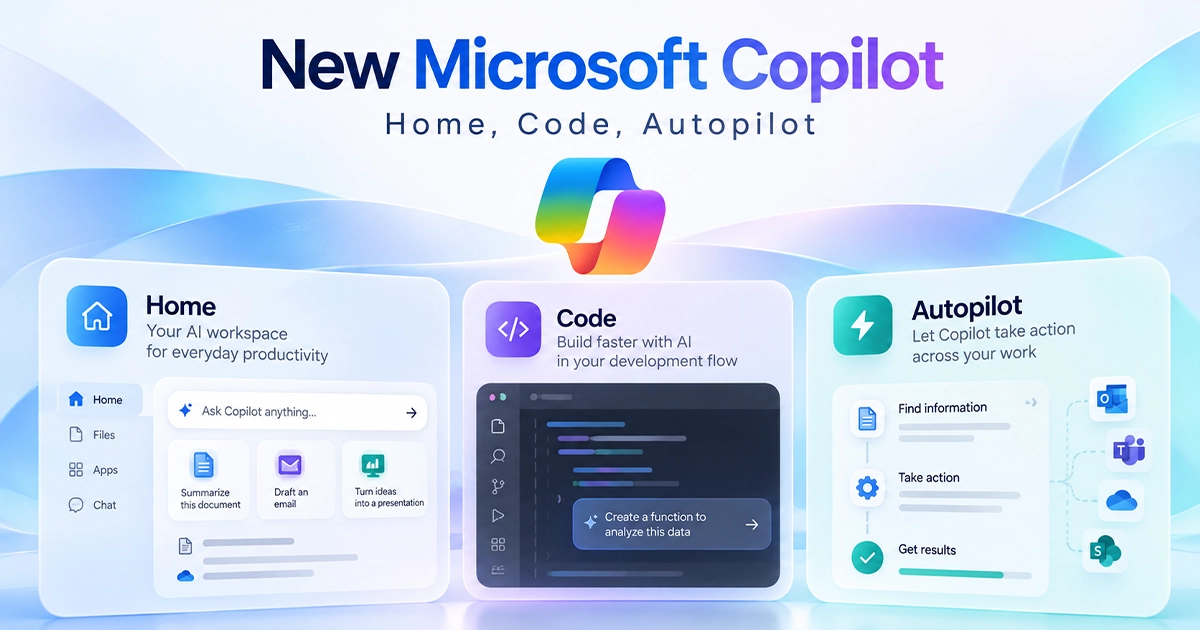
Microsoft has introduced a major redesign of Copilot that changes it from a primarily conversational AI assistant into a broader workspace for asking questions, delegating work, building tools and running longer-term AI tasks.
Announced on September 25, 2026, the new Microsoft Copilot revolves around three major capabilities: Home, Code and Autopilot. Microsoft is also bringing Word, Excel and PowerPoint more directly into Copilot while preparing additional features such as Today and deeper Copilot integration inside Microsoft Teams.
The changes are significant because Microsoft is no longer positioning Copilot only as an AI that responds to individual prompts. The company is expanding it into a system where users can chat with AI, hand over larger tasks, build applications and automations, and assign ongoing work to AI agents.
So, what exactly is new, how do Home, Code and Autopilot work, and when will users get access? Here is everything you need to know about the new Microsoft Copilot.
What Is the New Microsoft Copilot?
The new Microsoft Copilot is a redesigned version of Microsoft’s AI work platform that brings several types of AI-assisted work together in one place.
Instead of using Copilot mainly for questions, summaries, writing or quick assistance, Microsoft wants users to be able to move between different kinds of AI work depending on what they are trying to accomplish.
The new experience is centered around:
- Home for accessing Chat, Cowork and Office-related work.
- Code for creating applications, dashboards, automations and other tools with natural-language instructions.
- Autopilot for assigning persistent tasks to an AI agent that can continue working over time.
Microsoft describes the new Copilot as a single place where users can ask, delegate, build and automate work.
The important difference is that Copilot is becoming less about individual AI conversations and more about completing actual workflows.
What’s New in Microsoft Copilot?
The redesign introduces several major additions.
| New Copilot feature | What it does |
|---|---|
| Home | Brings Chat and Cowork together in a central workspace |
| Code | Creates apps, trackers, dashboards and automations from natural-language instructions |
| Autopilot | Runs persistent AI agents that can continue working over time |
| Office in Copilot | Creates and edits Word, Excel and PowerPoint files directly through Copilot |
| Today | Upcoming personalized dashboard for mail, meetings, calendar, Teams and tasks |
| @Copilot in Teams | Gives Copilot access to shared context inside supported Teams conversations |
Not all of these features are generally available yet. Microsoft is rolling them out through different preview and Frontier programs.
What Is Microsoft Copilot Home?
Home is designed to become the main starting point for the new Copilot experience.
It brings Chat and Cowork together so users can choose between getting quick assistance and handing larger tasks to Copilot.
Home can also show recent activity, suggest things Copilot can help with and allow users to continue work they previously started.
Microsoft’s goal is to reduce the need to move between several AI interfaces depending on the type of work being performed.
Chat vs Cowork in Copilot Home
Chat and Cowork are intended for different types of tasks.
Chat works more like the familiar Copilot experience. You ask a question or give Copilot a relatively direct task and receive a response.
For example, Chat can help you:
- answer questions,
- summarize information,
- draft text,
- look up information,
- analyze content,
- or quickly brainstorm ideas.
Cowork, however, is intended for larger jobs that you want to delegate.
Instead of managing every small step yourself, you provide the task and allow Copilot to work through a larger workflow.
Microsoft gives examples such as preparing customer briefings, responding to requests for proposals, assembling launch materials and working through financial-close packages.
Microsoft also says it eventually wants users to simply describe what they want accomplished rather than manually choosing between Chat, Cowork or Code. Copilot would then route the request to the most appropriate capability.
What Is Microsoft Copilot Code?
Copilot Code is one of the most interesting parts of the redesign because it takes Copilot beyond documents and conversations.
Code allows users to describe a piece of software or automation using normal language and have Copilot help build it.
You could, for example, ask Copilot to create:
- a project tracker,
- a sales dashboard,
- an internal application,
- an automated workflow,
- a desktop widget,
- or a data exploration tool.
Microsoft says Copilot can determine an appropriate approach and build the requested solution.
The feature uses underlying technology related to GitHub Copilot, although Microsoft is targeting Code at a broader range of knowledge workers rather than only professional software developers.
Do You Need Programming Skills to Use Copilot Code?
Microsoft is specifically presenting Code as a way to make software creation accessible to more people.
Instead of manually writing every line of code, a user can describe what they need using natural language.
For example, someone could ask:
“Create a dashboard that tracks monthly sales, compares performance with last month and highlights products that are falling behind.”
Copilot could then help create a solution around that request.
This does not necessarily mean programming knowledge will never be useful. More complicated applications, integrations or troubleshooting can still require technical expertise.
However, Microsoft’s goal is clearly to reduce the amount of traditional coding required for many smaller internal tools and workflows.
Microsoft says Code operates in a sandboxed environment and can use Copilot Managed Runtime to securely run applications within an organization’s Microsoft 365 environment.
What Is Microsoft Copilot Autopilot?
Autopilot represents an even larger change in how Microsoft expects people to use Copilot.
Previously called Scout, Autopilot is described by Microsoft as a persistent, proactive and personal AI agent.
Traditional Copilot interactions usually begin when you provide a prompt.
Autopilot can instead be assigned an ongoing role.
Users can give an Autopilot agent:
- a name,
- a role,
- a goal,
- objectives,
- and boundaries.
The agent can then continue working without requiring the user to manually restart the process every time.
Microsoft says Autopilot can watch channels, follow up on conversations, perform recurring work and resume projects later.
Autopilot is also cloud-hosted, meaning it is designed to continue operating without requiring the user’s PC to remain actively involved.
What Can Microsoft Copilot Autopilot Do?
Microsoft gives the example of managing a supplier review process.
An Autopilot agent could potentially help:
- create the schedule,
- prepare a workback plan,
- organize meetings,
- prepare information,
- follow up with stakeholders,
- gather updates,
- and continue managing the workflow.
That illustrates the difference between asking an AI assistant for one response and assigning an AI agent a continuing responsibility.
Autopilot can have its own identity, memory, computer and workspace inside an organization’s environment. Microsoft says it is also designed to work across places such as Teams, Outlook, chats, channels and documents while remaining subject to organizational permissions and governance.
Copilot Autopilot vs Normal Copilot
The easiest way to understand the difference is to look at how work begins.
With traditional Copilot:
You give a prompt → Copilot completes that interaction.
With Autopilot:
You provide a goal → the agent can continue working toward that goal over time.
That makes Autopilot more suitable for recurring or long-running processes rather than quick questions.
Word, Excel and PowerPoint Are Coming Directly Into Copilot
Another important part of Microsoft’s redesign is Office in Copilot.
Microsoft says Word, Excel and PowerPoint capabilities are being built more directly into the Copilot experience.
For example, users can ask Copilot to:
- draft a Word document,
- create a financial model in Excel,
- build a PowerPoint presentation,
- or continue working on an existing Office file.
The result is not supposed to be a simple text preview inside an AI conversation. Microsoft says Copilot can create or update actual editable documents, workbooks and presentations.
Users can then continue refining those files alongside their Copilot conversations.
Microsoft is also improving Copilot’s existing Office capabilities. For example, it says PowerPoint can help keep presentations aligned with a company’s branding, while Excel can show users what Copilot changed and help recommend appropriate charts for data.
What Is Copilot Today?
Microsoft also previewed an upcoming feature called Today.
Today is intended to act as a personalized command center inside Copilot.
Instead of manually searching through email, meetings, Teams messages, calendars and tasks, Today is designed to surface the information that requires the user’s attention.
It may show:
- what you missed,
- what needs attention,
- upcoming tasks,
- important conversations,
- meeting information,
- schedule changes,
- and follow-ups.
Microsoft says Today can go beyond simply displaying information. It can also prepare work for the user, such as drafting a response or suggesting a schedule change.
Today is not generally available as of September 26, 2026. Microsoft says it is scheduled to enter private preview in Copilot in October 2026, with plans to bring it to Outlook and Teams as well.
What Is @Copilot in Microsoft Teams?
Microsoft is also developing deeper Copilot integration for Teams.
With the upcoming @Copilot functionality, users will be able to invoke Copilot inside supported Teams conversations.
The important part is shared context.
Instead of a user having to manually explain an entire discussion, Copilot can work with the context and permissions available to the relevant channel, group chat or meeting.
For example, a user might ask Copilot why a particular project decision was made. Copilot could use available conversation history to help identify the context behind that decision.
Microsoft says @Copilot can also help prepare work such as cross-functional reviews containing dependencies, owners, unresolved questions and previous decisions.
The @Copilot capability is expected to enter private preview in Teams around the end of September 2026.
How Does the New Microsoft Copilot Work?
Microsoft’s expanding Copilot ecosystem can sound complicated, but the basic idea is fairly simple.
Think of the new Copilot this way:
Ask → Chat
Use Chat when you need an answer, summary, draft or relatively quick piece of assistance.
Delegate → Cowork
Use Cowork when you have a larger task that you want Copilot to work through more independently.
Build → Code
Use Code when you want Copilot to create an app, tracker, dashboard, workflow or automation.
Ongoing work → Autopilot
Use Autopilot when you want an AI agent to continue handling a responsibility or recurring process over time.
Home acts as the central place connecting these experiences.
How to Access the New Microsoft Copilot
Microsoft is not switching all Copilot users to every new feature immediately.
The company is using gradual rollouts and previews.
As of September 26, 2026:
- Home and Code are beginning their rollout through Microsoft’s Frontier program.
- Microsoft says Code will roll out to Frontier around the end of September, with broader availability expected in the following weeks.
- Code is also expected to enter preview for Microsoft 365 Premium and Pro subscribers later in 2026.
- Autopilot is expanding into private preview around the end of September.
- Today is expected to enter private preview in October.
- @Copilot in Teams is expected to enter private preview around the end of September.
This means two people using Microsoft Copilot may not necessarily see the same features.
If Home, Code or Autopilot does not appear in your Copilot experience yet, it may simply not have reached your account, organization or subscription.
Is the New Microsoft Copilot Free?
There is not one simple answer because Microsoft’s Copilot products have different subscription models, business licenses and usage-based capabilities.
Microsoft says everyday AI features such as quick answers, summaries, drafting and analysis can be covered through a user subscription license.
However, longer-running agentic capabilities operate differently.
According to Microsoft, Cowork, Code and Autopilot use usage-based billing, along with some advanced models and other agentic workloads.
That means users should not assume that every feature announced as part of the new Copilot will automatically be included with every existing Copilot plan.
Availability and pricing can also differ between individual users and organizations.
New Microsoft Copilot vs Old Copilot
The redesign represents a broader change in Microsoft’s approach to AI-assisted work.
| Previous Copilot experience | New Copilot direction |
|---|---|
| Mostly prompt-and-response interaction | AI conversations plus task execution |
| Users start most interactions | More proactive and persistent AI |
| Focus on answers and content | Also builds apps and workflows |
| Office apps often used separately | Word, Excel and PowerPoint integrated more directly |
| Mostly short interactions | Supports longer-running work |
| AI assistant model | Expanding toward AI agents |
The existing conversational functions are not disappearing. Instead, Microsoft is adding additional layers around them.
Chat continues to handle quick interactions, while Cowork, Code and Autopilot are designed for increasingly complex types of work.
Who Is the New Microsoft Copilot For?
Different parts of the redesigned Copilot are likely to serve different groups.
Office users can use Copilot to create and work with documents, presentations and spreadsheets.
Project managers may benefit from Cowork and Autopilot for coordinating larger or recurring workflows.
Analysts could use Code to create dashboards and data tools without starting an application from scratch.
Teams inside organizations may use @Copilot to work with shared context.
Developers can continue using GitHub Copilot while Microsoft’s broader Copilot platform adds more connections between professional development and tools created by non-developers.
The biggest change is that Microsoft is trying to make more advanced AI workflows accessible to ordinary knowledge workers rather than limiting them to developers or AI specialists.
When Is the New Microsoft Copilot Coming Out?
Microsoft announced the redesigned Copilot on September 25, 2026.
The rollout is happening gradually rather than through a single global release date.
Home and Code are being introduced through the Frontier program, while Autopilot is expanding through private preview.
Microsoft says Code should reach broader availability in the coming weeks, while additional features such as Today will continue arriving later.
The company is therefore treating the new Copilot as an evolving platform rather than one feature that becomes available everywhere on a particular day.
Final Thoughts
The new Microsoft Copilot represents a shift from an AI assistant that mainly responds to prompts toward a broader platform for completing work.
Home brings Microsoft’s different Copilot work modes into one place. Code allows users to build tools and automations using natural language. Autopilot takes the concept further by introducing persistent AI agents capable of handling ongoing responsibilities.
Microsoft is also connecting Word, Excel, PowerPoint, Teams and other Microsoft 365 services more closely with Copilot.
Many of these capabilities are still rolling out or remain in preview, so the experience will vary between users for now. But Microsoft’s direction is clear: the new Copilot is being built not just to answer questions, but to help users ask, delegate, build and automate work from one AI platform.




Add your first comment to this post